

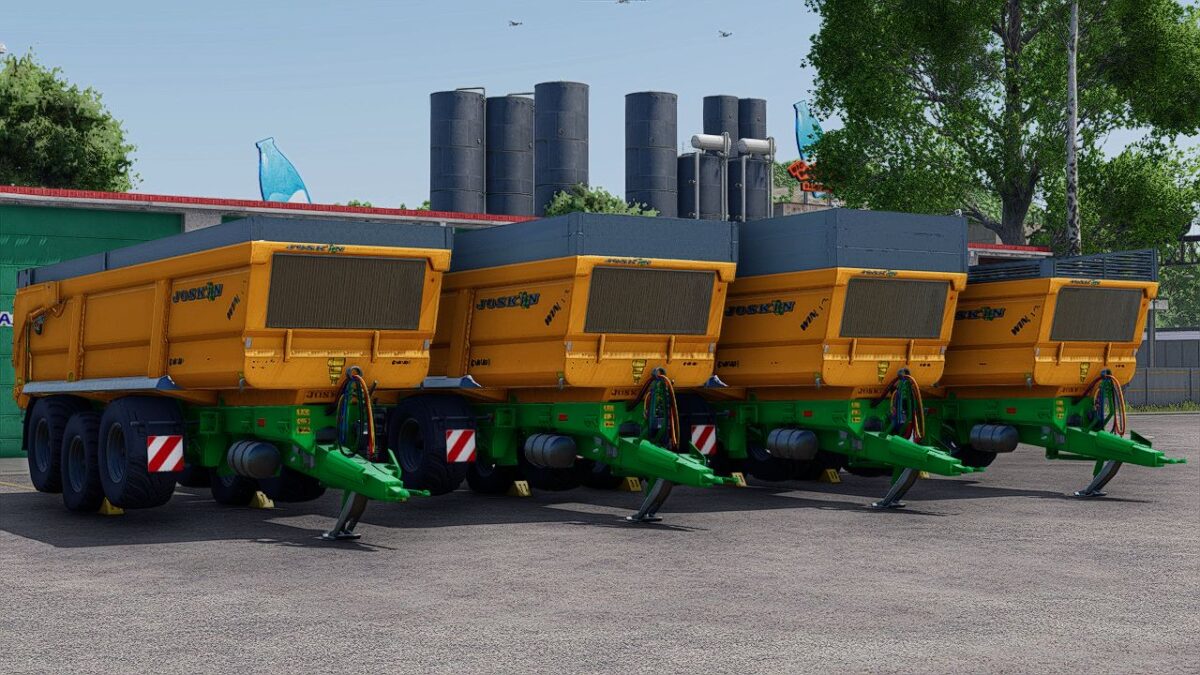
Joskin TransSpace 8000 v 1.0


Store Category: Trailers
Price: €74,000
Capacity: 28,700 L, 37,570 L, 42,120 L (roots), 46,250 L and 57,092 L (silage only)
Lid: possibility to choose 3 first capacities
Lift axle: 1 and 3 axles raise and lower depending on weight
Steering axle: 1 and 3 self-steering axles
Settings:
– 5 capacity options with lids
– Window configuration: steel plate, galvanized bars and transparent plexiglass plate
– tire configuration: MICHELIN, BKT, TRELLEBORG, VREDESTEIN, NOKIAN, ASCENSO
– Side markers
– Side lights
– LED lights
– Pour spout for standard grain chute
– Rear lift
– Toolbox
– Large triangle on the back
– Galvanized and bolted platform + rear ladder and front ladder (Animated ladder)
– Additional stickers
– Danger stickers
– Interchangeable stickers for capacity
Credits:
Lagridedemain, Cpt G


