
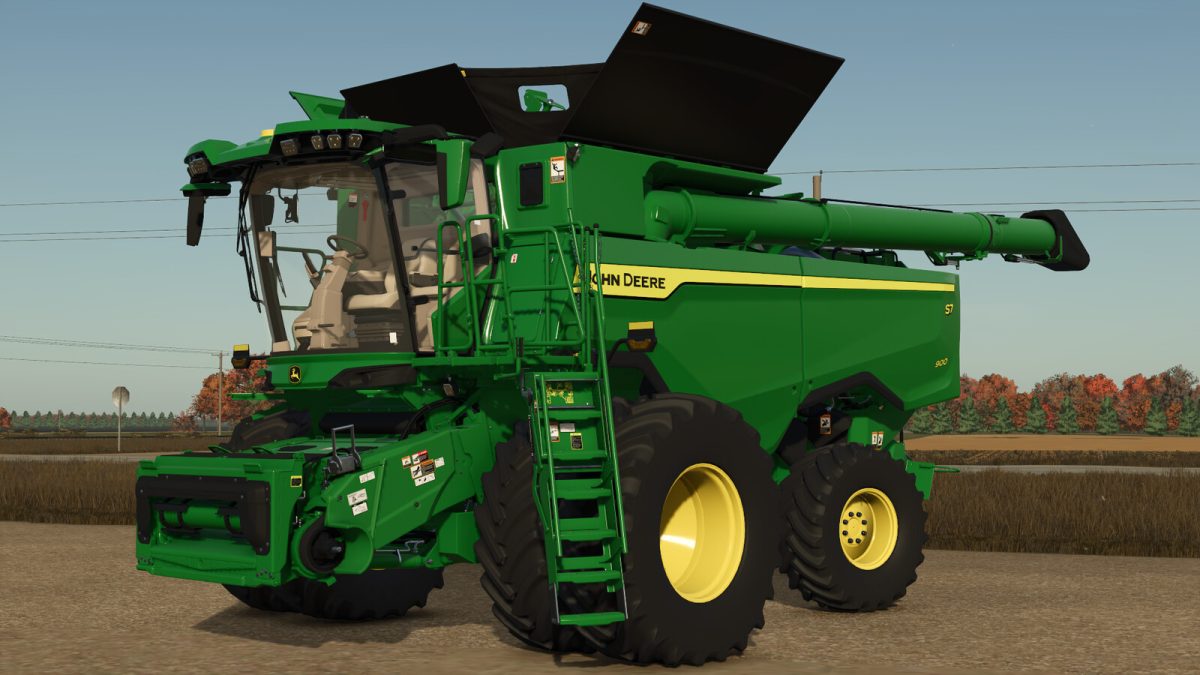
FS25 John Deere Harvesters

John Deere S7 Series v 1.0

John Deere S7 Series v 1.0

The sleek, new lines. The grain-eating heart. The rugged dependability. When we built the all new S7 Combine from the ground
up, we looked to its legendary big brother – the X9. Borrowing some of the best X9 features, we gave the S7 the same cab, with
more comfort and visibility. We stuffed it with smart guidance and automation tools to increase productivity and decrease stress.
And we gave it improved grain loss sensing and residue management system. Together, it all adds up to the most advanced,
comfortable, and capable S7 Combine ever built.

Specifications:
Model: S7-Series Combines
Base Price: $645,708
Rated Power: 333 – 543HP
Capacity: 10,600 – 14,100 liter

Credits:

Schaben Modding

How to install FS25 John Deere Harvesters?
Firstly find a mod which you like and want to download. Then download a mod to your PC. Mods are usually in .zip format file. But sometimes it can be in .rar. If a mod file is a .zip format no needed additional actions. If a file is in .rar, then you must unarchive mod with software like WinRar or Zip7. Windows 10 users no need to use software for archives, Win10 itself has a feature to unarchive files.
The next step is to find mods folder in your PC. Usually, it is in Documents/My Games/Farming Simulator 25/2025. Open the "mods" folder and put downloaded .zip archive or unarchived .rar file to this folder.
Last step. Enjoy of FS25 mods!

Leave a Reply

Your email address will not be published. Required fields are marked *