

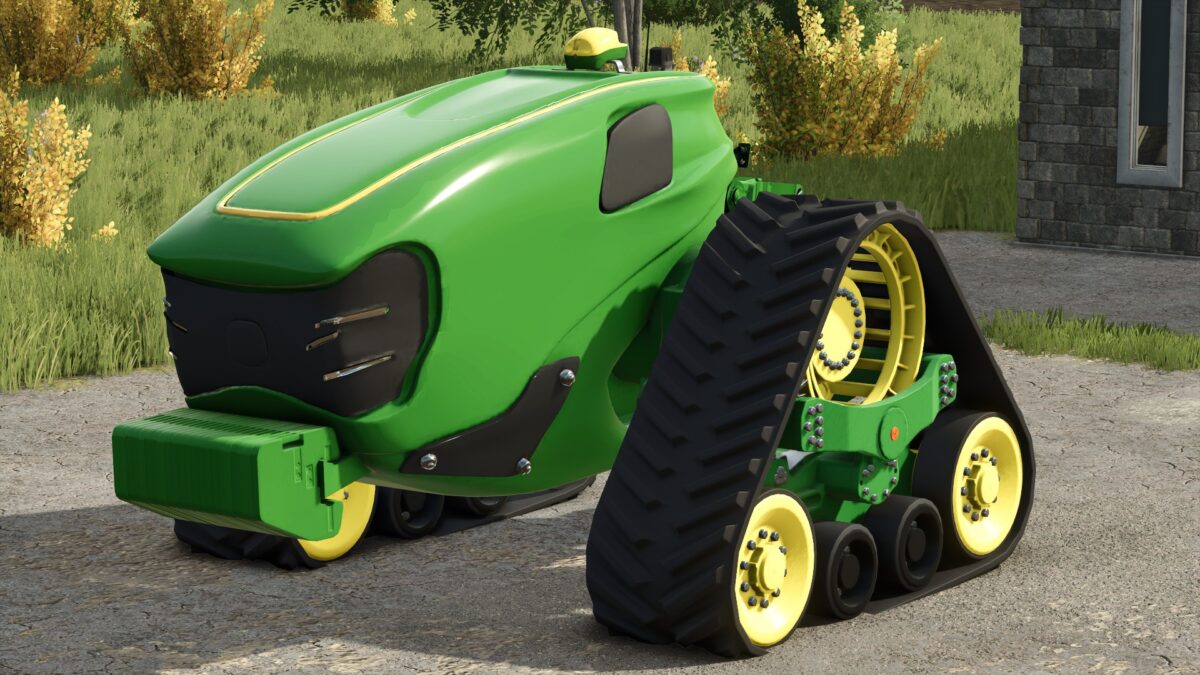
John Deere Electric Autonomous v 1.1


The John Deere Electric Autonomous v 1.1 offers a unique solution for farmers looking to reduce their operational costs while embracing innovative technology. This fully electric tractor eliminates the need for diesel, leading to significant savings in fuel expenses. With a powerful output of 530 horsepower, it is designed to handle a range of demanding tasks commonly found on farms. The impressive top speed of 50 km/h allows for efficient transportation across larger fields and operational areas.
Weighing in at 10.4 tons, this tractor strikes a balance between stability and mobility, making it suitable for various farming applications. The built-in 400 kWh battery provides ample power to keep operations running smoothly throughout the day. One notable feature of this model is its autonomous capabilities, allowing for automated operations that reduce the need for constant oversight and allow farmers to focus on other tasks.
– Fully electric tractor
– 530 horsepower
– Top speed of 50 km/h
– Weight of 10.4 tons
– 400 kWh battery
– Autonomous operation
– Cost: 250,000
Version 1.1:
* Corrected errors, now carrying perfectly
Credits:
Eduu, Tailan Magalhaes, Agro Mods


