

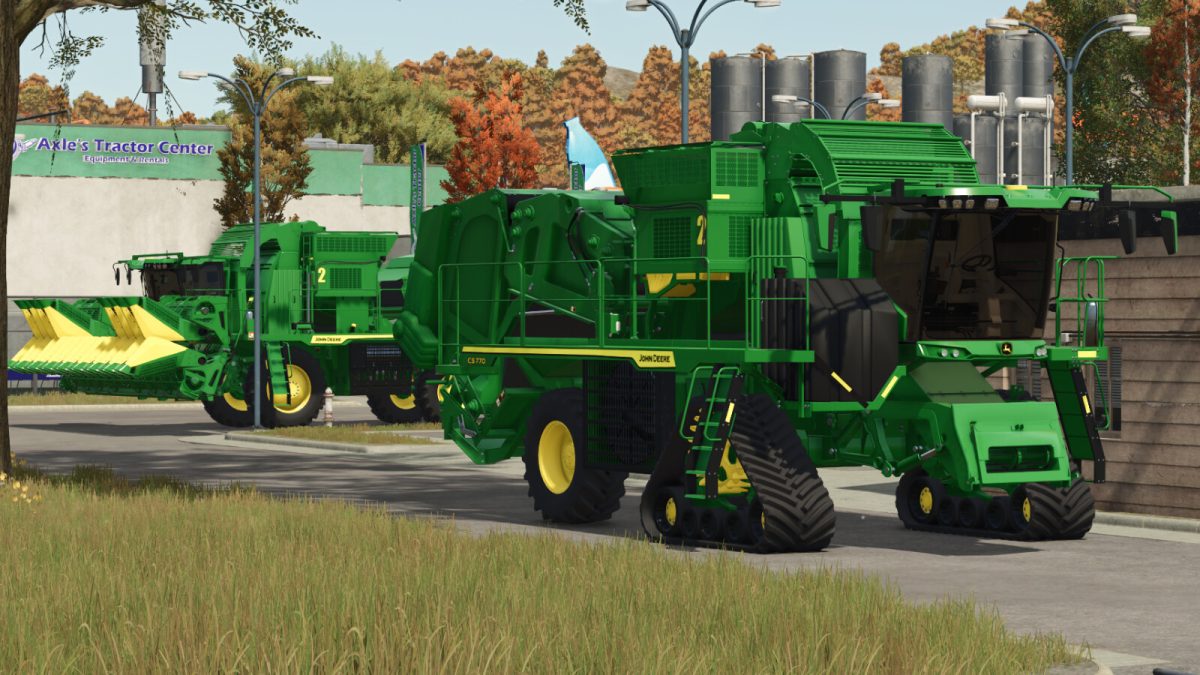
John Deere CS 770 v 1.0


John Deere CS770 comes to increase the yield of your harvest, the cotton-stripper has a larger working area, with options of 8 to 12 harvesting rows with the SH8R and SH12F selectors
– Category: Cotton harvesters
– Price: $863,000
– Power: 515 HP
– Working area: 6.8 or 10.5 meters
– Working speed: 10 kph
– Transport speed: 32 kph
– In one of the controllable animations it is possible to make the selector bar invisible, thus facilitating even more the transport and giving the appearance of disengaged, done due to some limitations when the true functionality of disengaging the selector
– Has optional SH8R and SH12F selectors
– Optional tires Continental, Michelin, Trelleborg, BKT, Mitas and Vredestein
– Each brand of optional tire has two versions of the rear rims and the option with front track
– 3 mirror models
– Two headlight models for the upper part of the cabin
– Optional with or without headlight in the lower part of the cabin
– Optional detail on the driver’s seat
– Optional numbers from 1 to 9
– 4 window tints
– Controllable animations of the selector bar, seat adjustment, steering wheel column adjustment, sunroof, and door
Credits:
Agro Tonho


