

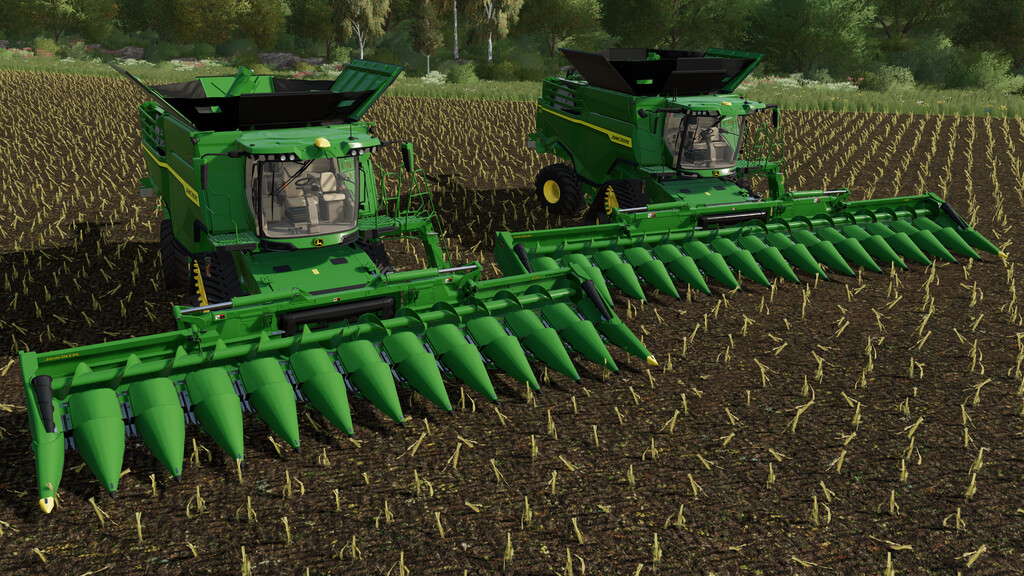
John Deere CF Corn Headers Pack v 1.0


A Corn Headers with a Brain.
Combines keep getting smarter. Shouldn’t your corn head be smarter too? Introducing the most automated CF (folding) corn heads we’ve ever made.
New automation features reduce the risk of machine damage and crop loss. And critical adjustments that used to take you out of the cab can now be done in-cab and on the go.
Choose the row and length option that’s right for your operation.
All built John Deere tough to deliver dependable performance at higher speeds, even in fields with varying stalk diameters.
This pack includes 2 corn headers, the C12F and the C16F.
C12F:
-Price: 97 500 $
-Working width: 9m
-Working speed: 10 km/h
C16F:
-Price: 127 000 $
-Working width: 12m
-Working speed: 10 km/h
Configurations:
-Attacher configuration (X Series or S Series)
-Turn signals configuration
-Base color configuration
-Design color configuration
Credits:
Dince


