

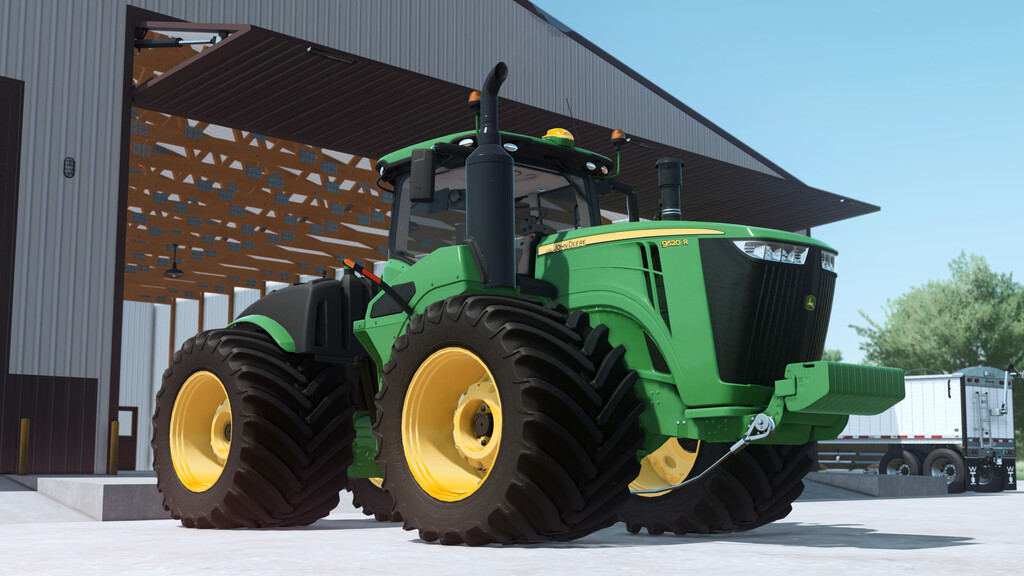
John Deere 9R Series v 1.0


John Deere 9R Series Wheeled Version
“THE NEW POWER OF CHOICE”
Nobody offers you so many choices in large-horsepower tractors. A wide or narrow track? A range of horsepower from 370 to 620 to fit your operation?
No other manufacturer offers you so many choices in large-horsepower tractors. Discover the new power of choice at your John Deere dealer today.
Nothing runs like a Deere.
Specifications:
Model: 9R Series Wheeled Version
Base Price: $608,520
Rated Power: 420 – 620HP
Max speed: 40 kph
Features:
– 2018 Generation
– Model country: United States, Canada, EU and Australia
– Animations: Hood, Doors and Windows
– Realistic starting animations: Monitors, steering wheel, lights
– All motorization avaibles
– Tires RowCrop and LSW
– Additional monitor configurations and information: Climate FieldViewer, Precision Planting, and Kinze Planting Monitors
– Frontal weights
– 3-point hitch back
– Beacon options
– Window tint
– Compatibilitie with Lizard K9 Dozer Blade
Credits:
Custom Modding


