

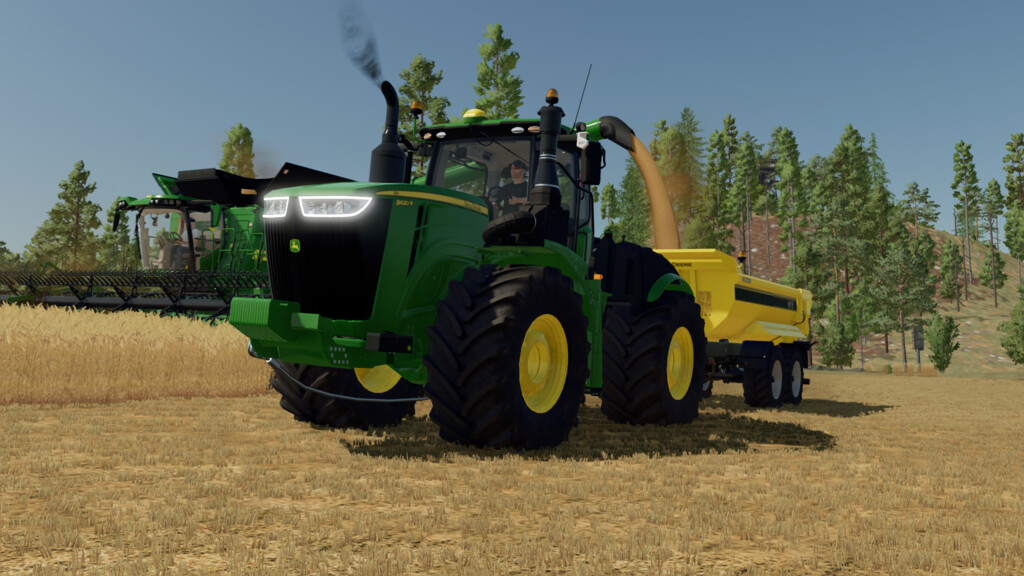
John Deere 9R 4213 Pack v 1.0


This pack was loosely based off a popular building block kit. The
pack contains one tractor and one trailer that can be customized to match
your existing fleet, or be as wild as you see fit. You can use this tractor
with the corresponding DLC’s to take advantage of their specific benefits.
John Deere 9R Configurations:
– Base Price: $300,000
– HP: 462 – 670 HP Standard or 1000-5000 HP Unrealistic
– Base Color
– Chassis Color
– Design Color
– Front Grill Color
– Rim Color
– Numerous tire configurations
– Rear Attachments: 3-Point or Trailer
– Front configurations: 800kg weight; 1800kg weight, 3-point with PTO; Custom winch (Platinum DLC Required).
– All front configurations have wheel weight options with their own color configurations.
– Engine configurations: 9420R, 9470R, 9520R, 9570R, 9620R, and 9R XXX Unreal engines. All engines have Powershift or CVT transmission options.
– US/ EU warning signs
– Brand color options including unbranded option.
– Working light bar: Includes white or yellow options and movable lights.
– Daytime front running lights
– Beacon options
– Window tint options
– Passenger function (Requires Kubota DLC)
– Crop sensors (Requires Precision Farming)
John Deere 4213 Trailer Configurations:
– Base Price: $30,000
– Capacity: 18,500 – 10,000,000 liters
– Main Color
– Frame Color
– Rim Color
– Capacity options
– Numerous tire options
– Rear trailer hitch for train configurations
– Branded options
– Beacon options
– Rear warning signs
– Rear brake light options
– Rear brake light protective covers
Credits:
ChrisS and RileyS


