

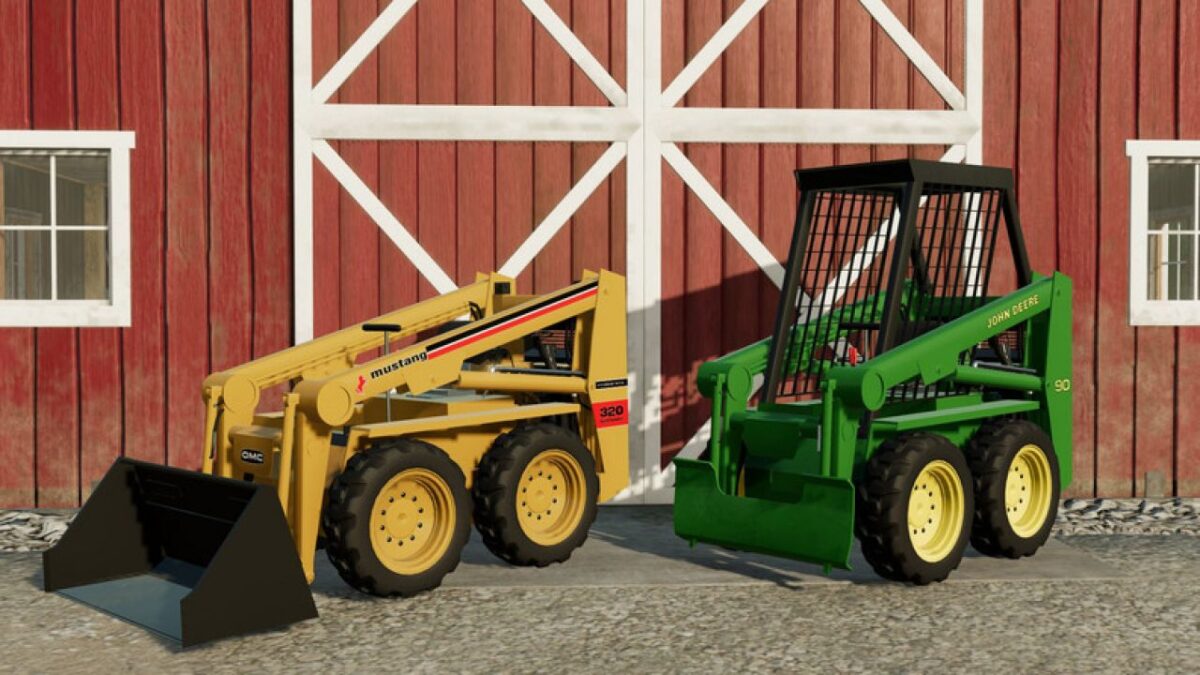
John Deere 90/Owatonna Mustang 320 v 1.0


A well overdue edit to Blacksheep’s JD90 to fix the scaling issues it has and correct a lot of minor issues I’ve had with it, as well as add the original livery of these skid steers. Owatonna Manufacturing Company sold their skid steers to Deere as Deere did not make their own at the time, the JD90 being a repainted Owatonna Mustang 320. Includes a 47″ Utility Bucket. Otherwise is compatible with JCL’s attachments from the L555 Deluxe / 675 Pack
Options (Skid Steer)
John Deere 90 or Owatonna Mustang 320 model options
No ROPS, ROPS, or ROPS with cage
SMV
Realistic or Unrealistic weight (These skid steers IRL only weigh 2,800 pounds, and as such cannot normally lift a basegame pallet, this is here to facilitate more usability of the machine)
Color options for John Deere Green, OMC Yellow, and OMC Green (These skid steers would not normally have been sold in green however it was added by popular request after sharing some screenshots pre-release)
Options (Bucket)
Capacities of 250L (realistic) or 1000L (unrealistic)
Tweaks and changes
Improved model scaling
New John Deere decals
Added OMC decals and colors
New more accurate 47″ bucket
Modified weights and capacities
Improved steering
Credits:
WholeKFCMenu, ItsC0WB0YGamez, Blacksheep Modding, JCL


