
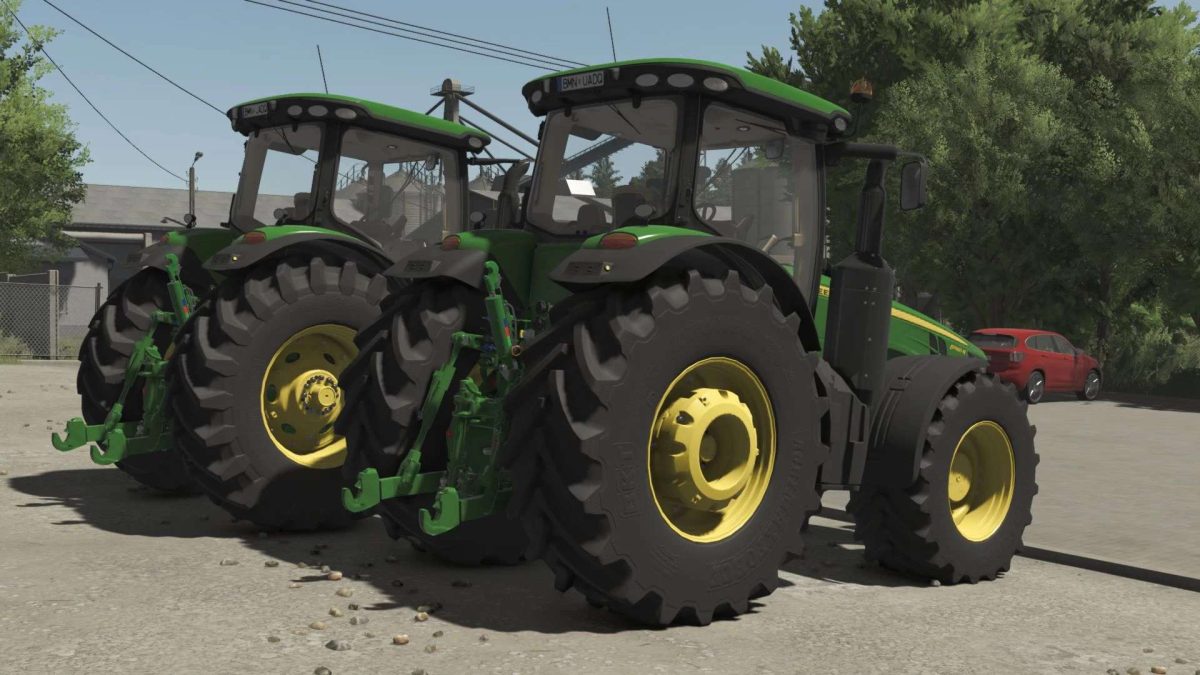
FS25 John Deere Tractors

John Deere 8R Series 2011 v 1.0

John Deere 8R Series 2011 v 1.0

Motor config.
(8235R-8260R-8285R-8310R-8335R-8360R)
(With PowerShift, AutoPower and AutoPower with Right Hand Reverser)
(Fully animated transmissions)

Wheel brand config.
Trelleborg, Mitas, Michelin, Continental, BKT, Vredestein
(Standard-Wide-Wide2)(+)(With wheel weights)(+)(Twin back wheels)/(Twin wheels)/(Twin (Back) Wheels+weights)

Front attacher config.
(None-Bracket-300kg-500kg-700kg-900kg-1000kg-Front hydraulic)

Cabine WorkLights config.
(No-Additional1-Additional 2-Both)

Mirrors config.
(Standard-Electric)

GPS config.
(No-SF 3000-SF 6000)

Beacons config.
(No-Left-Right-Both)

Fenders config.
(Back-Front+Back-Front+Wide Back)

Design config.
(Nothing-Steering Knob-Side Wiper-Both)

Warning Signs config.
(No-EU-US)

Credits:

Shark09, Udruzenje Nezavisnih Modera

How to install FS25 John Deere Tractors?
Firstly find a mod which you like and want to download. Then download a mod to your PC. Mods are usually in .zip format file. But sometimes it can be in .rar. If a mod file is a .zip format no needed additional actions. If a file is in .rar, then you must unarchive mod with software like WinRar or Zip7. Windows 10 users no need to use software for archives, Win10 itself has a feature to unarchive files.
The next step is to find mods folder in your PC. Usually, it is in Documents/My Games/Farming Simulator 25/2025. Open the "mods" folder and put downloaded .zip archive or unarchived .rar file to this folder.
Last step. Enjoy of FS25 mods!

Leave a Reply

Your email address will not be published. Required fields are marked *