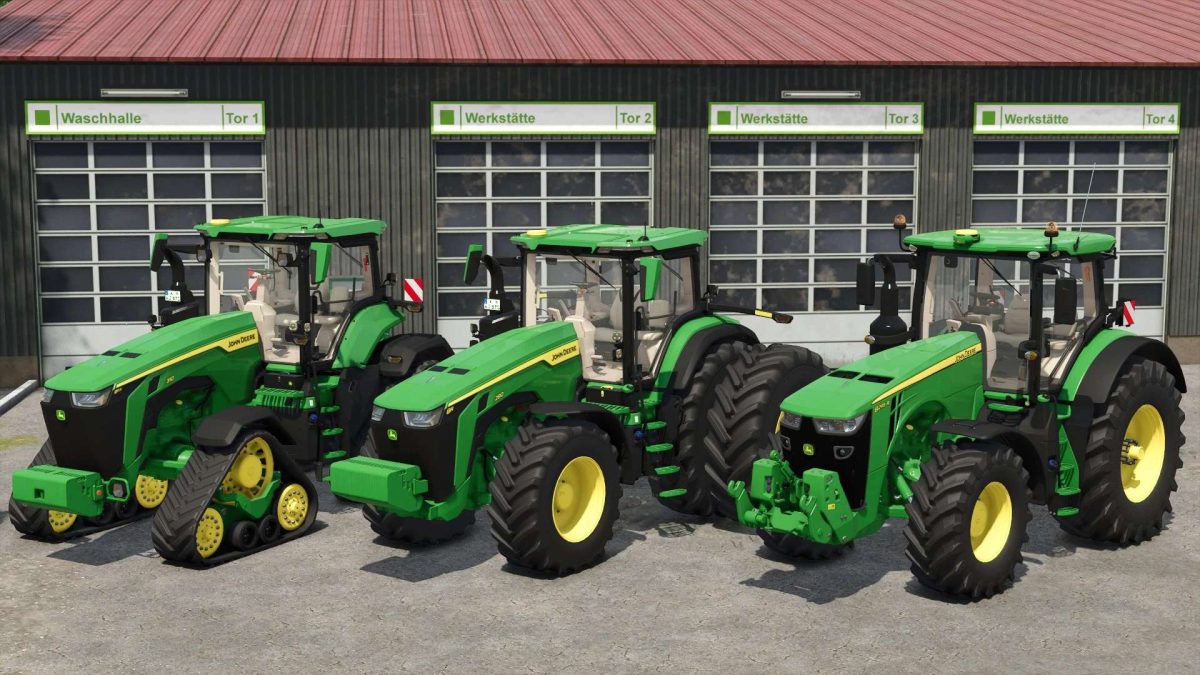
John Deere 8R & 8RX Series v 1.0


John Deere 8R 2019 Series:
Models:
– John Deere 8245 R: Power 290 hp
– John Deere 8295 R: Power 342 hp
– John Deere 8345 R: Power 394 hp
– John Deere 8400 R: Power 450 hp
Features:
– Wheels Configuration Options
– Wheels Brand Configuration Options
– Fender Configuration Options
John Deere 8R 2022 Series:
Models:
– John Deere 8R 280: Power 326 hp
– John Deere 8R 310: Power 357 hp
– John Deere 8R 340: Power 388 hp
– John Deere 8R 370: Power 420 hp
– John Deere 8R 410: Power 458 hp
Features:
– Wheels Configuration Options
– Wheels Brand Configuration Options
– Fender Configuration Options
– Design Configuration Options
John Deere 8RX Series:
Models:
– John Deere 8RX 310: Power 357 hp
– John Deere 8RX 340: Power 388 hp
– John Deere 8RX 370: Power 420 hp
– John Deere 8RX 410: Power 458 hp
Features:
– Tracks Configuration Options
– Design Configuration Options
– Fender Configuration Options
Credits:
Just Farming