

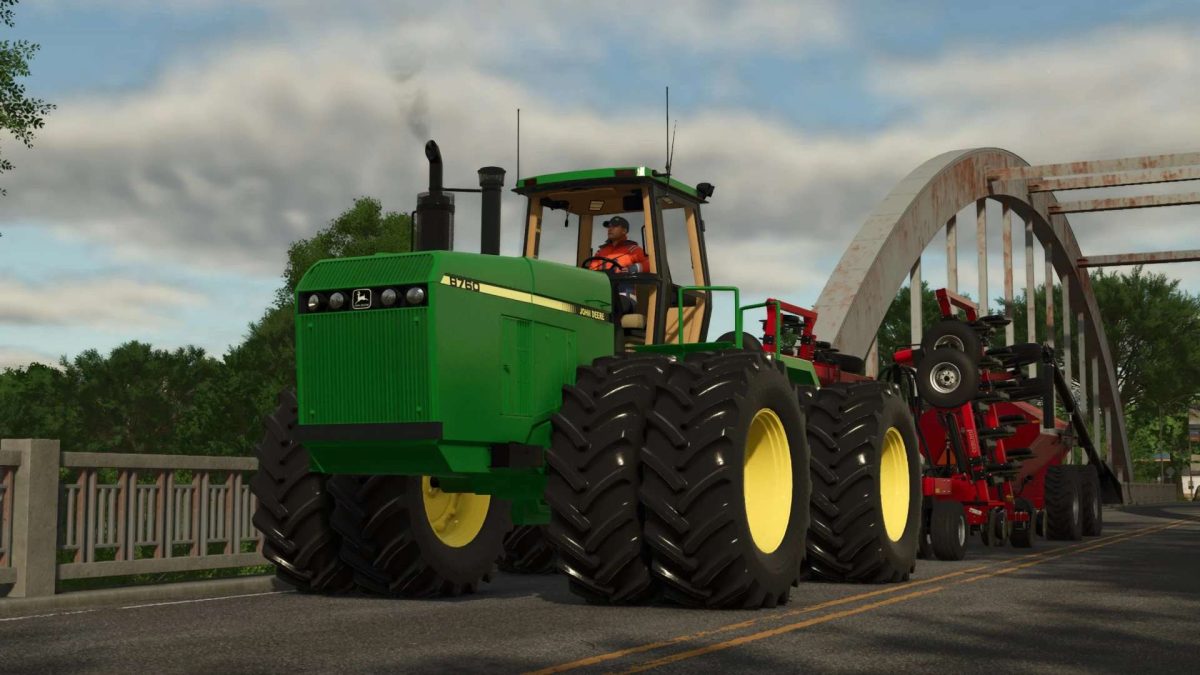
John Deere 8760/8960 v 1.1


– Mod has been updated to FS25 materials, so the tractor will get wet in all the areas you’d expect, just the water droplets aren’t very noticeable on the hood.
– The Tractor is fitted with the John Deere 15L engine sounds found on Deyluck’s 8650 mod as this is currently the closest
– All tires are base game FS25 standard with BKT Michelin and Continentals, with plans in not too distant future to throw some Firestone and Goodyear tires on after Spesard & STX Farms’ tires are ready to go
– The cab has updated materials and has been prepared for a potential future update which will be including an option for a 24-speed Synchro-shift
– Precision Planting and Kinze Monitors have been updated to the same standards as the ones currently in Casearias’ Steiger
– All lights on the tractor have been updated to FS25 standards
Version 1.1:
* Fixed wetness in the cab interior and on the exterior of the tractor. Bonnet will now get wet while the cab stays dry
* Replaced the rear axle with a properly scaled one kindly provided by Deyluck Farms
* Tweaked the colours of the tractor triangle on the back of the cab to red and white same as what all the real 8760 and 8960’s carried from the factory
* Shuffled a few things in the i3d to accommodate the 8570 bonnet
* The stock Deere steering wheel has now been updated to the correct material (painted metal, not rubber) and the trimble steering wheel has been upgraded to the FS25 trimble wheel also used on Deyluck’s 8650
Credits:
TJMedit


