

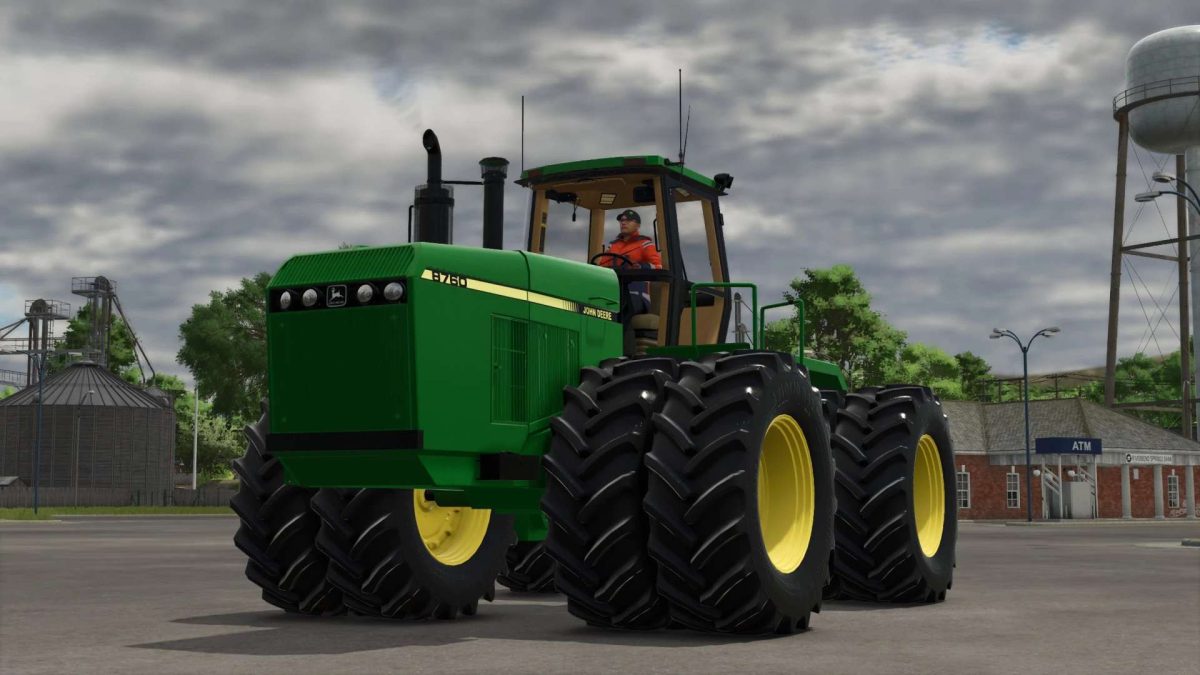
John Deere 8760/8960 v 1.0


– Mod has been updated to FS25 materials, so the tractor will get wet in all the areas you’d expect, just the water droplets aren’t very noticeable on the hood.
– The Tractor is fitted with the John Deere 15L engine sounds found on Deyluck’s 8650 mod as this is currently the closest I can currently get to genuine recordings from the real 8760
– All tires are base-game FS25 standard with BKT Michelin and Continentals, with plans in not too distant future to throw some Firestone and Goodyear tires on after Spesard & STX Farms’ tires are ready to go
– The cab has updated materials and has been prepared for a potential future update which will be including an option for a 24-speed Synchro-shift
– Precision Planting and Kinze Monitors have been updated to the same standards as the ones currently in Casearias’ Steiger
– All lights on the tractor have been updated to FS25 standards.
Credits:
TJMedit


