

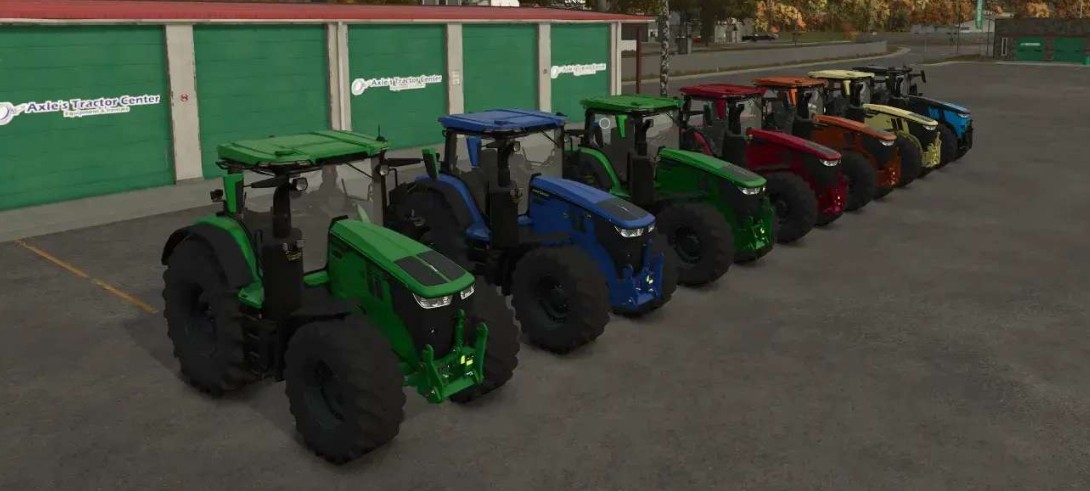
John Deere 7R Series v 1.0.0.4


Shop Category: Large Tractors
Price: €2985,000
Power: 305 – 388 HP
With Agrar Bauer Tuning 620 HP
Top Speed: 73 km/h
– All in Multicolor:
– Selectable exterior color
– Selectable seat color
– Selectable grill color
– Selectable decal color
– Selectable hydraulic hose color on the front loader console
– Selectable rim color
– Selectable color for the entire rim (inner and outer rim, wheel hub, wheel bolts, and weight)
– A different horn was installed
– Real GPS installed
Frontloader M700:
– Selectable body color
– Selectable hydraulic hose color
– Selectable decal color
Version 1.0.0.4:
* The color selection of the rims has been completely redesigned
* Wheel bolts, wheel hubs, and the outer and inner rims can now be colored separately
* ModDesc increased and revised
Credits:
Agrar Bauer


