

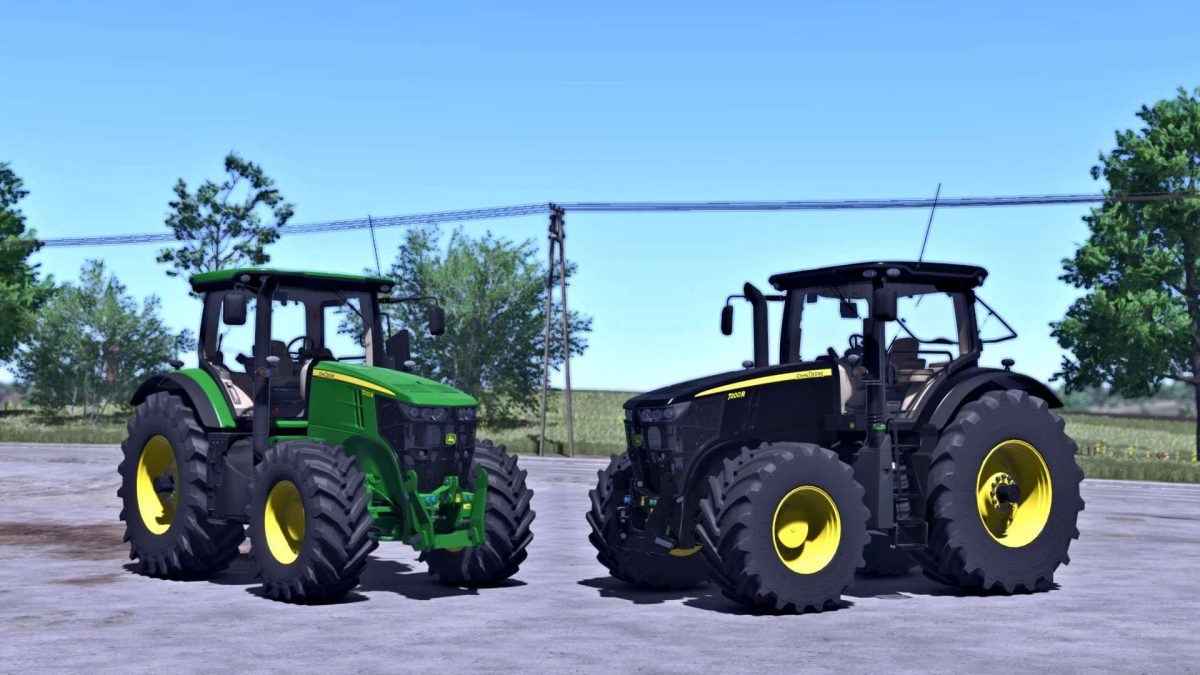
John Deere 7R Series 2011 v 1.1


Motor config.
(7200R-7215R-7230R-7260R-7280R)
(With Direct Drive, AutoPower and AutoPower with Right Hand Reverser)
(Fully animated transmissions)
Wheel brand config.
Trelleborg, Mitas, Michelin, Continental, BKT, Vredestein)
Wheel config.
(Standard-Wide-Wide)(+)(With wheel weights)(+)(Twin back wheels)/(Twin wheels)/(Twin (Back) Wheels+weights (+Twin (Back) Wheels)
Front attacher config.
(None-Bracket-300kg-500kg-700kg-900kg-1000kg-Front hydraulic)
Cabine WorkLights config.
(No-Additional 1-Additional 2-Both)
Mirrors config.
(Standard-Electric)
GPS config.
(No-SF 3000-SF 6000)
Beacons config.
(No-Left-Right-Both)
Fenders config.
(Back-Front+Back-Front+Wide Back)
Design config.
(Nothing-Steering Knob-Side Wiper-Both)
Warning Signs config.
(No-EU-US)
New store icon
Rotatable seat with right mosue button
Version 1.1:
* Added interior sounds
* Added Base Color
Credits:
BullES, DinceV2


