
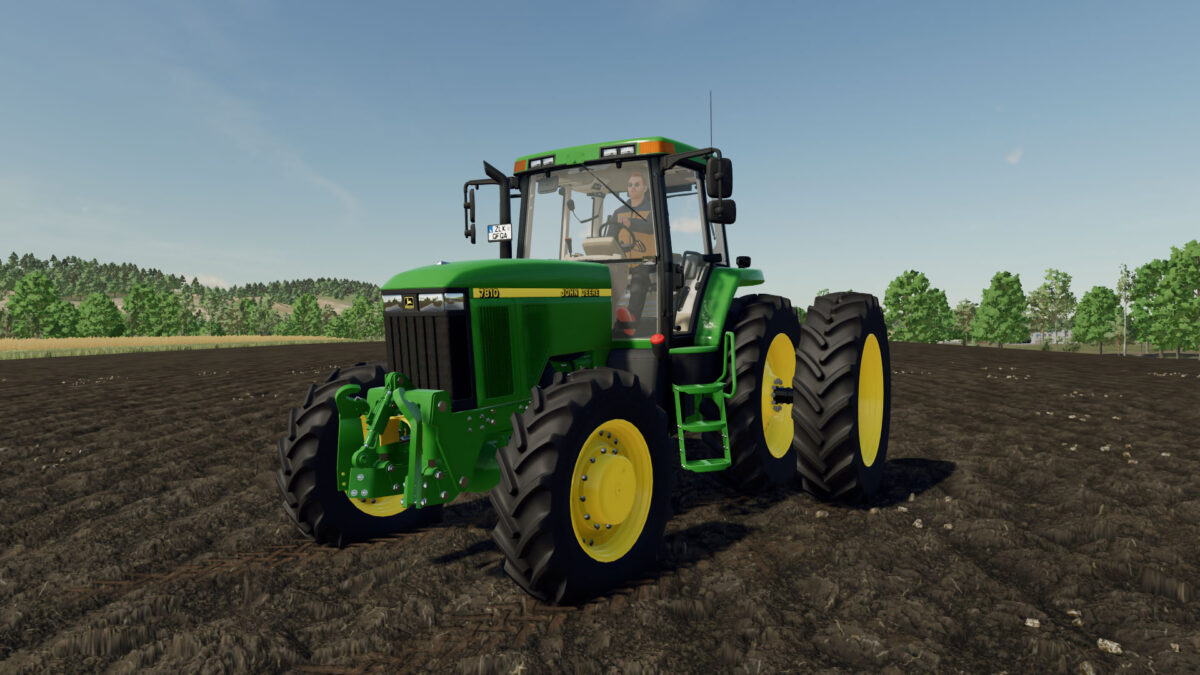
FS22 John Deere Tractors

John Deere 7810 US/AU Special Edited v 1.0

John Deere 7810 US/AU Special Edited v 1.0

Changed:
– Swapping the base game analog dashboard for the Digital Dashboard in the cab
– Added option for front 3-Point linkage for additional sprayer tanks
– Added Light bar option for the roof
– Added option for Trimble Autosteer with New Holland FM-750 monitor, and other Autosteer options from the 7000/7010
– Added the other cab monitors from the 7000/7010 including JD BaleTrak, M6000, Raven/Bestaway Sprayer controls, Kinze monitors, Intercomp scale and ComputerTrak
– Added BKT Tire options for jobs that require a bit more traction than the row crop Michelan and Continentals
– Real Dashboard has been implemented for use with the Bale-Trak monitor

Credits:

JHHG, JoNo, T.Diniz, CBM

How to install FS22 John Deere Tractors?
Firstly find a mod which you like and want to download. Then download a mod to your PC. Mods are usually in .zip format file. But sometimes it can be in .rar. If a mod file is a .zip format no needed additional actions. If a file is in .rar, then you must unarchive mod with software like WinRar or Zip7. Windows 10 users no need to use software for archives, Win10 itself has a feature to unarchive files.
The next step is to find mods folder in your PC. Usually, it is in Documents/My Games/Farming Simulator 25/2025. Open the "mods" folder and put downloaded .zip archive or unarchived .rar file to this folder.
Last step. Enjoy of FS25 mods!

Leave a Reply

Your email address will not be published. Required fields are marked *