

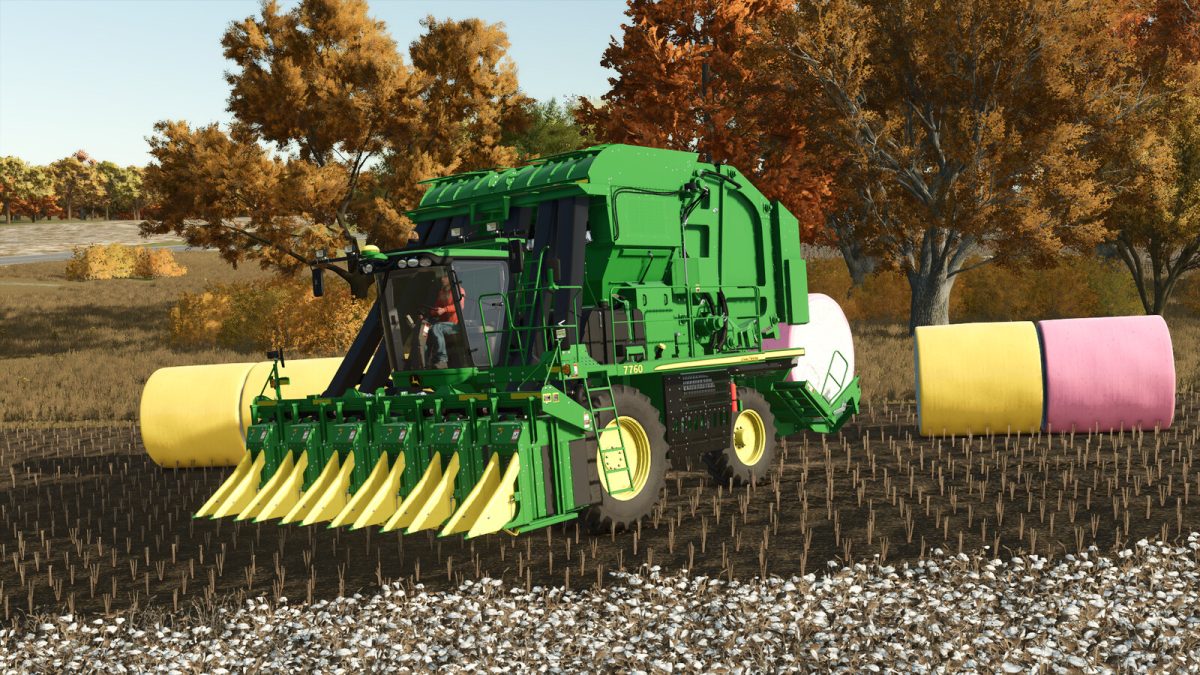
John Deere 7760/CP690 Roller Pickers v 1.0


This Mod includes the John Deere CP690 (2015-2017) and 7760 (2012-2014) roller pickers, edited from the basegame.
Made a number of improvements to make these pickers more realistic, including:
– Added John Deere 7760 Roller Picker for model years 2012-2014.
– Added multiple new colors for the cotton modules with improved textures, the wrap is now slighty clear so that the cotton can be seen through it.
– New colors are green, blue, orange, pink, and improved yellow, which can be selected via an option in the store. The color can also be changed at any time at a workshop.
– Added three shades of glass tint to reduce sun glare.
– Added three new GPS reciever options (Starfire 3000, Starfire 6000, or neither) for various years and configurations.
– Added numbers on either side of the picking unit, customizable 1 through 9.
– Reduced the harvesting width slightly, to encourage the machine to pick the proper six rows, not eight.
– These pickers produce a smoke effect that comes out of the top of the machine, for added realism.
– Adjusted prices and Horsepower to be more realistic for both models.
Specifications:
– Price:
$312,000 (7760)
$552,000 (CP690)
– Horsepower:
500 Engine Horsepower (7760)
560 Engine Horsepower (CP690)
– Module size: 6,000 LBS through four 1,500 LB chamber loads (or 10,000L with four 2,500L chamber loads)
– Starfire Cost: $0 (none) / $3,000 (SF3000) / $5,600 (SF6000)
Credits:
Jolly Farms Modding


