

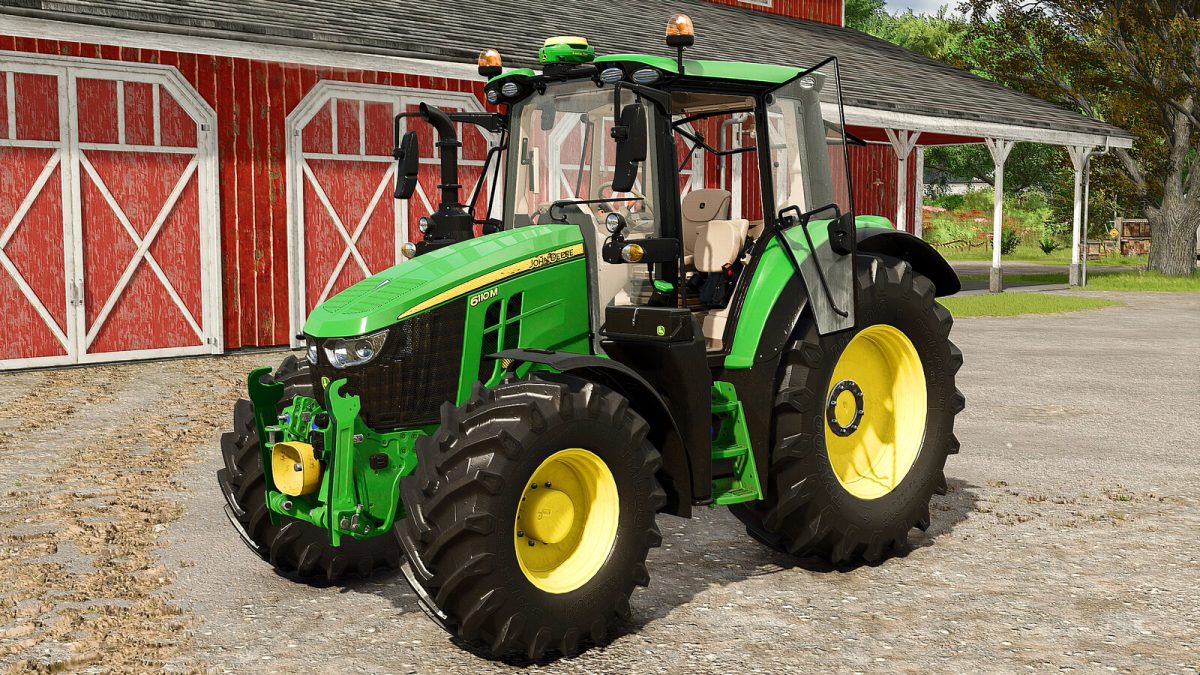
John Deere 6M Series v 1.0


This tractor, converted from FS22 and fully redesigned, has been crafted to meet the modern graphical standards of FS25.
Equipped with numerous features, it includes a fully functional digital dashboard displaying essential information such as:
– Engine RPM
– Speed
– Transmission
– Engine temperature
Its main screen also features a slider showing instant fuel consumption, along with other useful data to enhance your gameplay experience.
Additionally, it comes with a variety of animations, all controlled via the mouse. The available animations include:
* Opening the left and right doors
* Opening of the rear window
* Adjusting the mirrors
* Moving the steering wheel
* Opening the engine hood
* Folding and unfolding of the passenger seat
* Adjustment of the main screen
* Operating the roof
Combining elegant design, advanced technology, and enhanced interactivity, this model will significantly enrich your gaming experience and bring a new dimension to your FS25 sessions.
– Shop category: Small tractors
– Price: 109,500 $
– Power: 130-140 hp
– Maximum Speed: 40 kph
Credits:
Just Farming


