

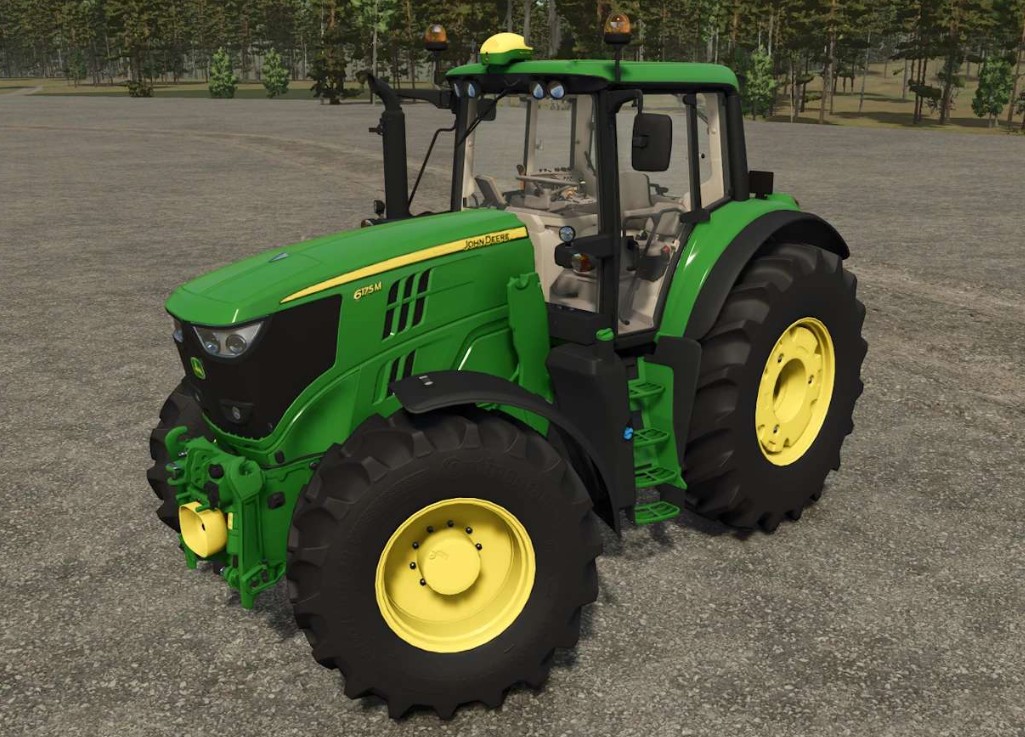
John Deere 6M Large Series v 1.0


The John Deere 6M Large Series mod for Farming Simulator 25 enhances your gameplay experience by providing players with a powerful tractor option that extends the capabilities of the base game model.
This mod features the same engine found in the single track Claas Tractor, offering approximately 630 HP.
This boost in power is particularly useful during the early stages of the game, allowing for more efficient farming operations.
With this mod, players can take advantage of increased horsepower to tackle larger fields, transport heavier loads, and engage in more demanding tasks right from the start. The flexibility to choose an upgraded engine allows for a customized gameplay experience while maintaining the familiar feel of the John Deere brand.
Key elements of the mod:
– John Deere 6M Large Frame model
– Enhanced engine option providing ~630 HP
– Improved power for early game tasks
– Retains base game tractor features and design
Credits:
Jbloch


