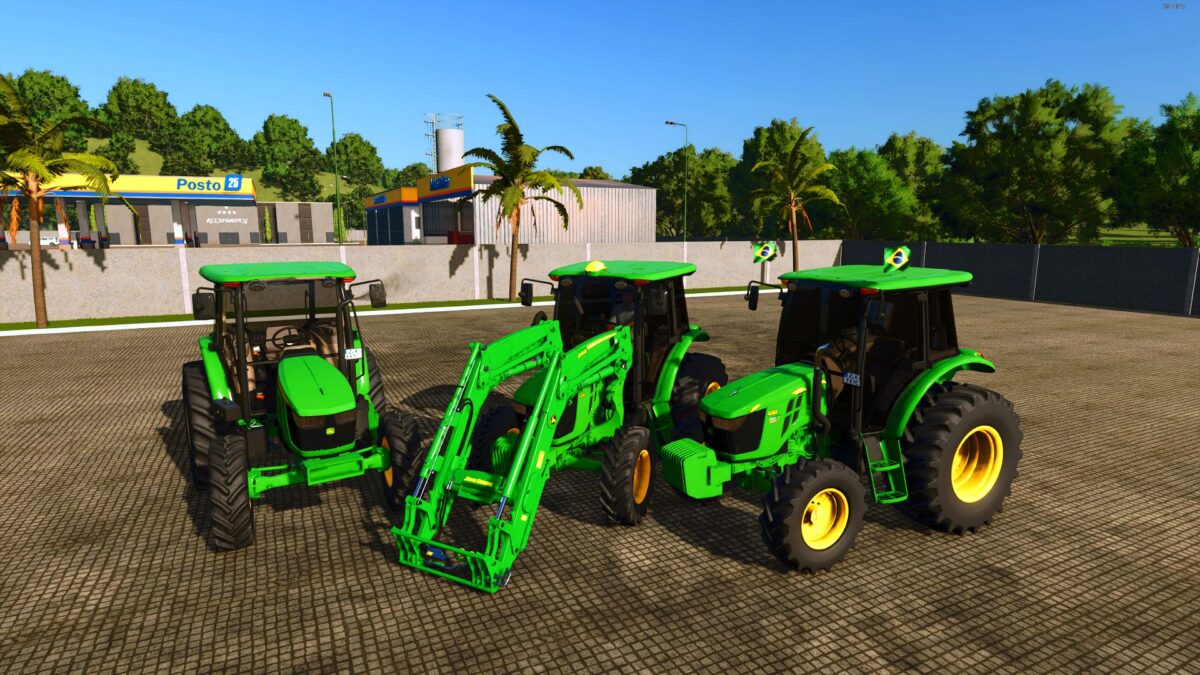
John Deere 5080E v 1.1


– Power Range: 80 to 130 hp
– Top Speed: 50 km/h
– Price: €55,000
– Weight: 2.7 tons
– Fuel Tank Capacity: 150 liters
– Transmission: Manual
– Customization Options: Various wheel types, thermos, gun, beer, Brazilian flag, and more
The John Deere 5080E v1.1 is designed to enhance your farming experience with its blend of technology and versatility. This small tractor is equipped with a power range of 80 to 130 horsepower, providing ample strength for various tasks around the farm. Capable of reaching speeds up to 50 km/h, it ensures efficient transportation and operations.
With a price tag of €55,000 and a weight of 2.7 tons, the John Deere 5080E is a practical addition to your equipment lineup. Its 150-liter fuel tank allows for extended use without frequent refueling, making it suitable for long days in the field. The manual transmission provides a more hands-on driving experience, allowing operators to have greater control over performance.
For those looking to personalize their tractor, the mod offers several customization options, including different wheel sets and unique items like a therm
Credits:
Eduu, J.AModding