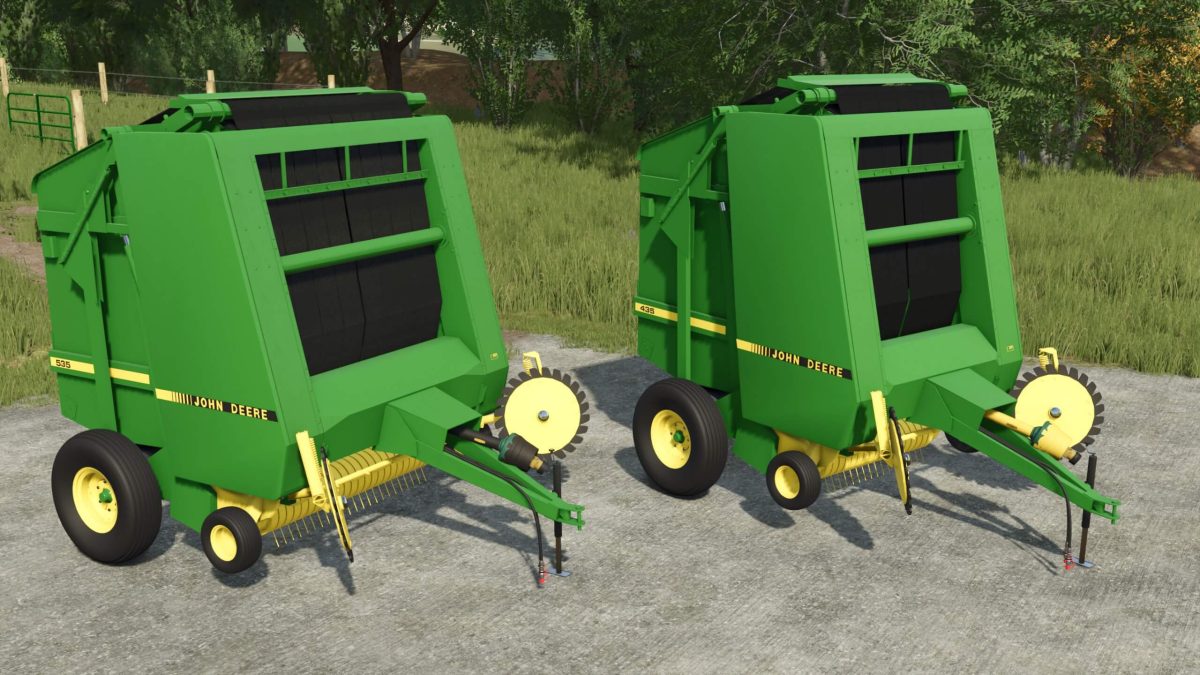
John Deere 435 and 535 Balers v 1.0


The John Deere 435 and 535 Balers are now available for Farming Simulator 25, offering a detailed replica of these popular round balers.
This mod has been fully converted to enhance your farming experience, allowing for more efficient baling operations.
The balers come with gathering wheels, which help to efficiently gather hay or straw into the path of the baler for a smooth operation.
Dynamic belts are included, providing a realistic animation of the baling process as they function properly while in use.
Additionally, net wrap functionality is incorporated, offering an alternative to twine for securing bales.
These features aim to improve productivity and realism when it comes to managing your farming activities.
The John Deere 435 and 535 Balers can be an excellent addition to your fleet, catering to a variety of baling needs.
– Fully converted from previous versions
– Gathering wheels for effective material collection
– Dynamic belts for realistic operation
– Net wrap option for sealing bales
Credits:
Tired Iron Modding