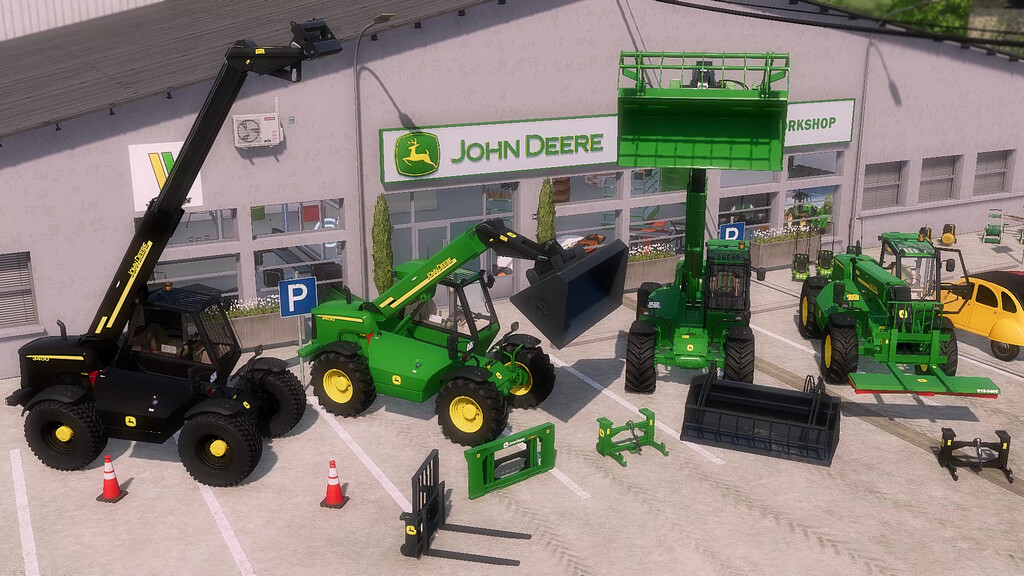
John Deere 3400 Telehandlers Pack v 1.0


The John Deer 3400 Telehandler (2003 model), with its powerful engine, lifting capacity and manoeuvrability, remains a safe bet in its class.
Optional rear hitch hooks (for forage wagons or trailers) and a rear 3-point linkage with PTO make this a versatile machine for work on the farm, in the fields or in forestry.
The John Deer 3400’s options are rounded off by a range of implements:
– A bucket with manure grab option.
– Pallet lifter.
– A broom that can be fitted to pallet forks for farm maintenance.
– A 3-point support for handling your mounted cultivation tools (seed drills, cultivators, forestry shredders, vegetable shredders, etc.).
– A support for handling your cutterbars or pickers without having to use your harvester.
– JD 3400 :
Price: 95.000 $
Power: 145 HP
Lifting capacity: 3 tonnes
Maximum lifting height: 7 m
– Bucket (with optional manure grab) :
Price: 2.200 $
Capacity: 2500 l
– Pallet fork :
Price: 2.000 $
– Farm bay :
Price: 650 $
– 3-point support
Price: 900 $
– Cutterbar support :
Price: 900 $
Credits:
Blacksheep Modding