

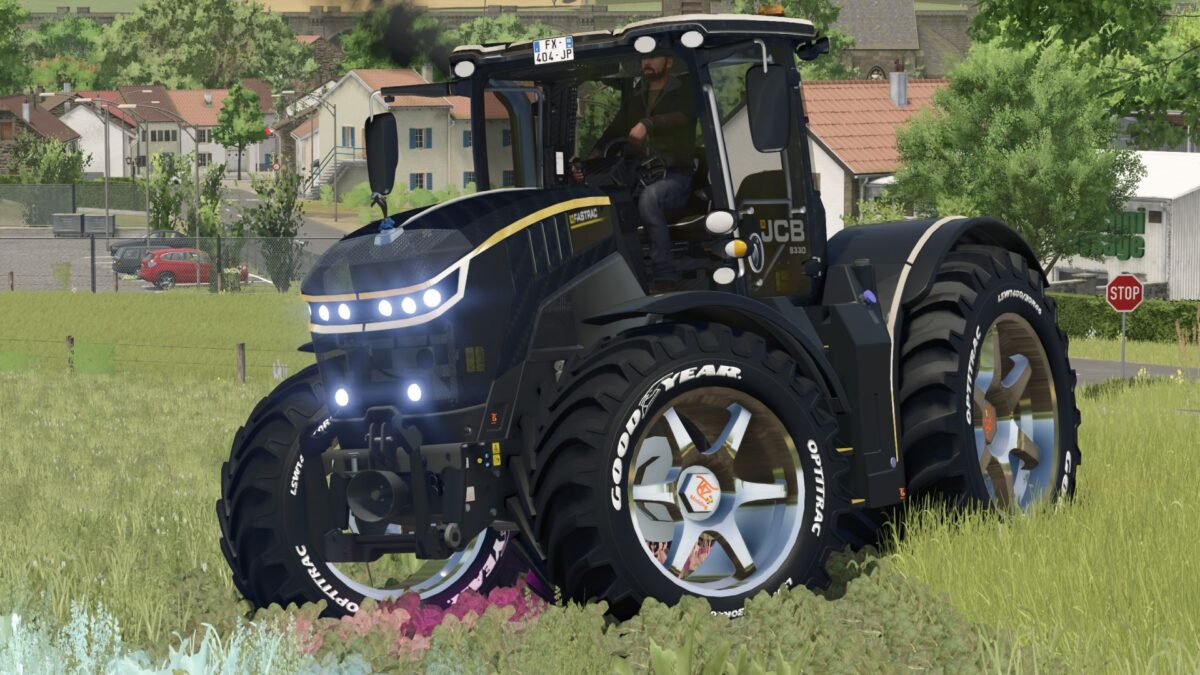
JCB Fastrack 8330 v 1.0


The JCB Fastrac 8330 is making a welcome return in Farming Simulator 25, offering players a fully customizable experience. This mod features various options for customization, including unique rim designs and a lightweight carbon fiber option to enhance your farming efficiency. Players can also choose from a wide range of colors to personalize their machine to fit their style or farming operation.
The JCB Fastrac 8330 is priced at 289,000 €, making it a solid investment for any farmer looking to enhance their capabilities. With a power output ranging from 348 to 1,953 horsepower, this tractor is designed to tackle even the toughest tasks on the field. Additionally, it boasts a maximum speed of 73 km/h, allowing for quick transit between locations.
– Fully customizable options
– Custom rims available
– Carbon fiber for reduced weight
– Wide selection of colors
– Base price: 289,000 €
– Power range: 348 – 1,953 hp
– Maximum speed: 73 km/h
Credits:
TaZ-Modding


