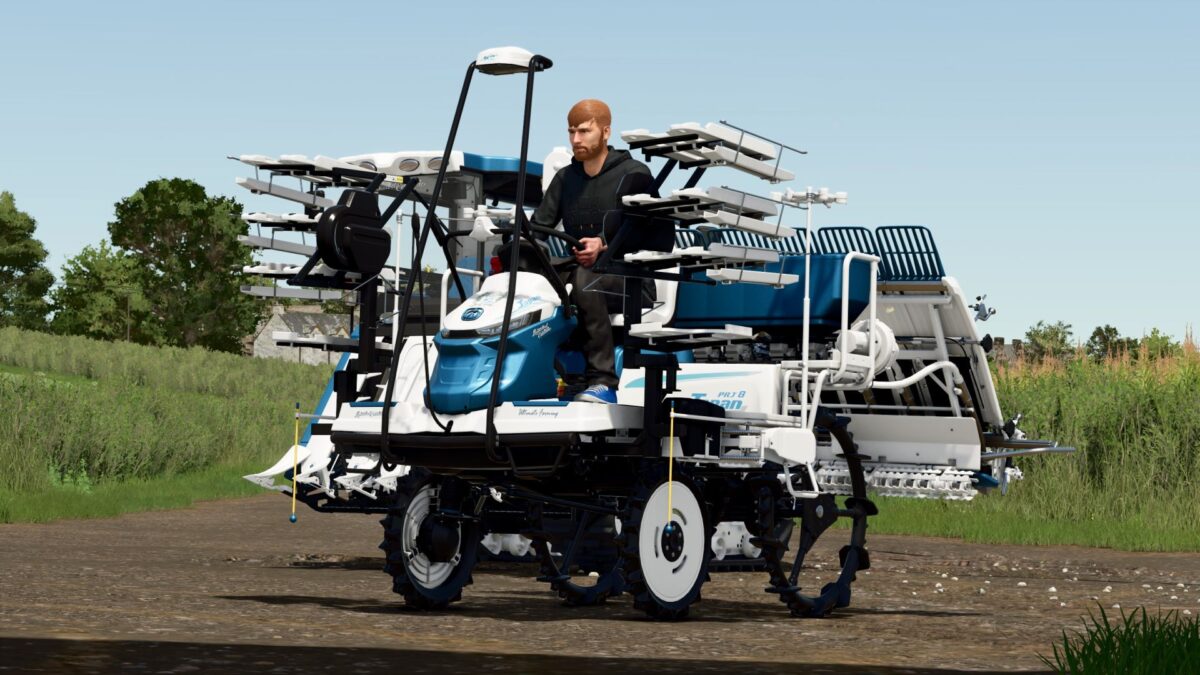
Iseki PRJ8D Limited Edition v 1.0


Adjusted and added the following things:
– Engine selection (Standard or Limited Edition 104 hp)
– Working width slightly increased
– Price: €23,000
– Speed increased to 30 km/h in the Limited Edition
– Working speed increased to 13 km/h
– Capacity selection: Standard or Limited Edition with 500l fertilizer tank / 56l diesel
– Logo selection: Dolphins, logo or without
– Lettering selection: Limited Edition, Ultimate Farming, both or without
– Decal selection: Standard without handlebar logo and fertilizer tank decal, Standard with Limited Edition handlebar logo and fertilizer tank decal, Limited Edition and Limited Edition without fertilizer tank decal
– Color selection for main color, design color, fertilizer tank, seat, plastic grille, Iseki logo, steering wheel, lettering and front rim color
– Repair interval increased
Credits:
Dolphin