

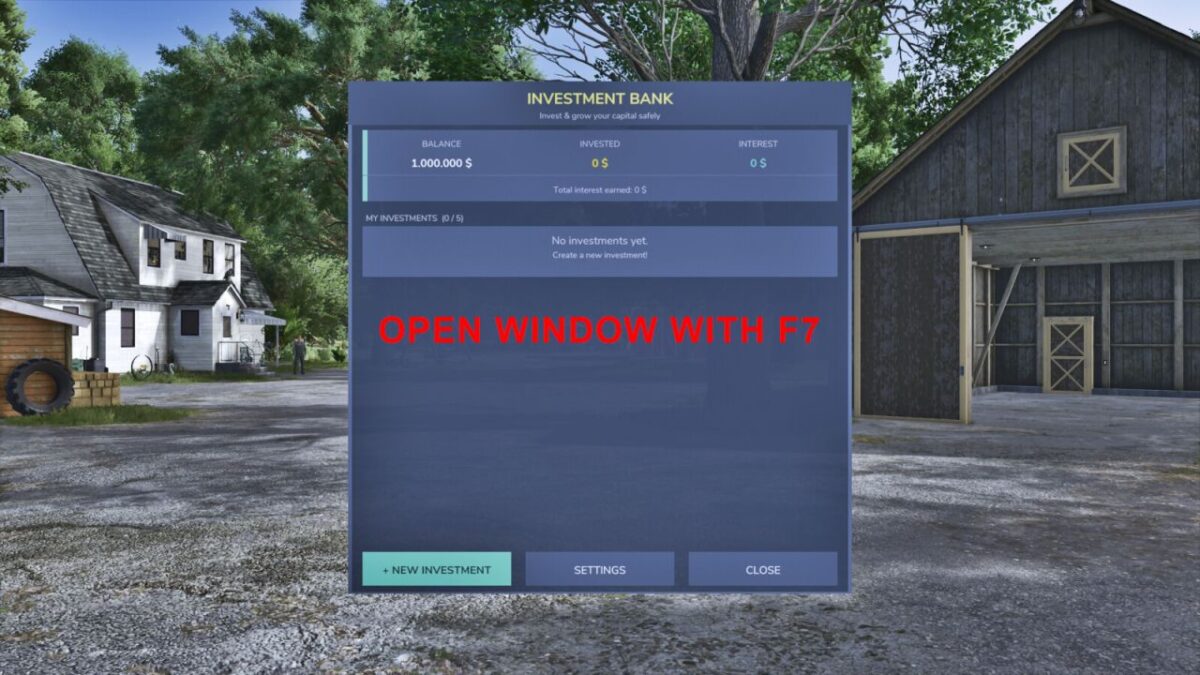
Investment System v 1.0


Manage your farm finances like a pro with a full investment system built right into Farming Simulator 25.
FEATURES:
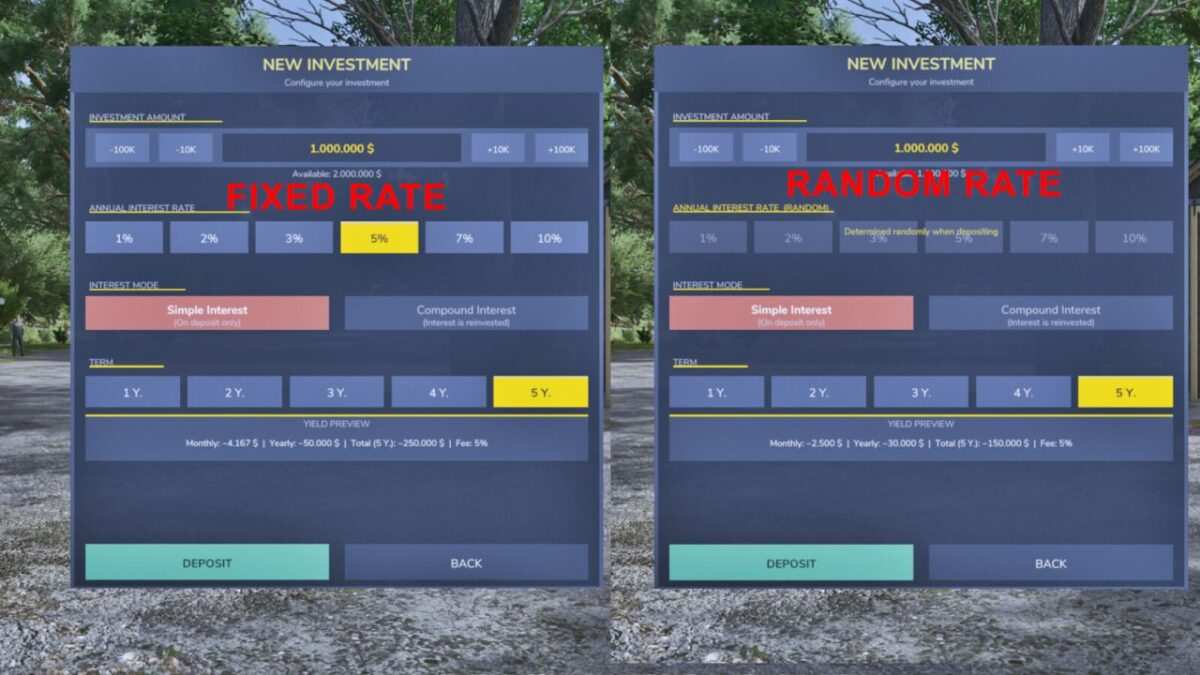
– Deposit money into fixed-term investments (1 to 5 years)
– Choose from 6 interest rates: 1%, 2%, 3%, 5%, 7% or 10% p.a.
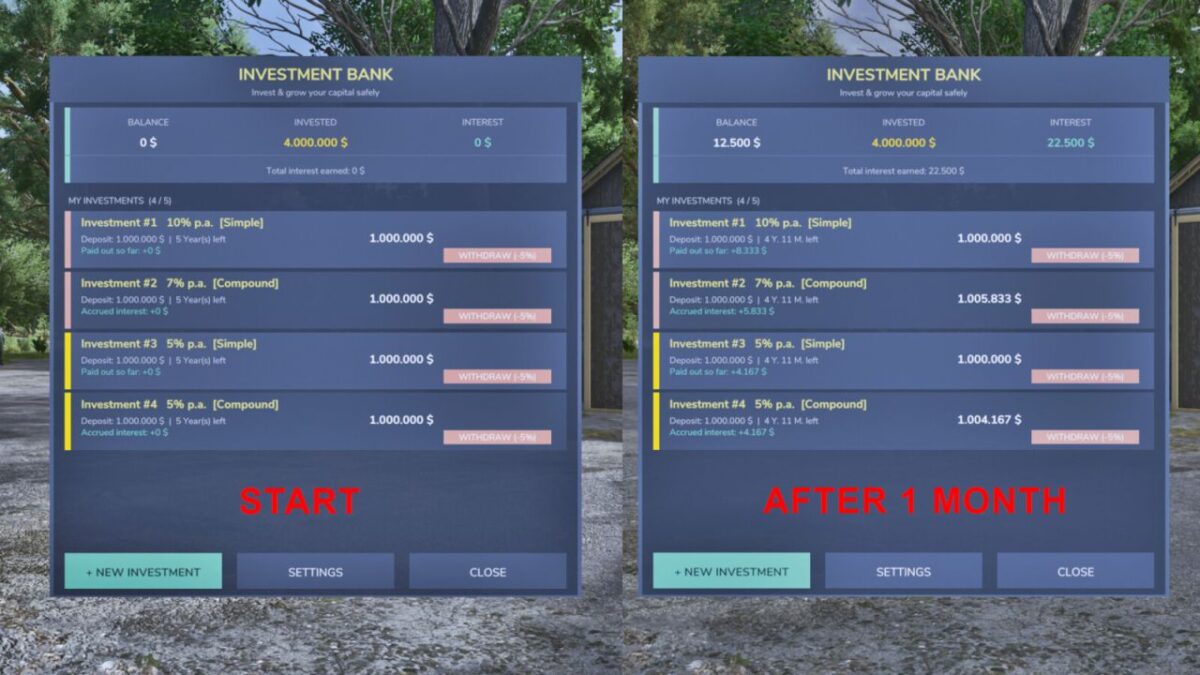
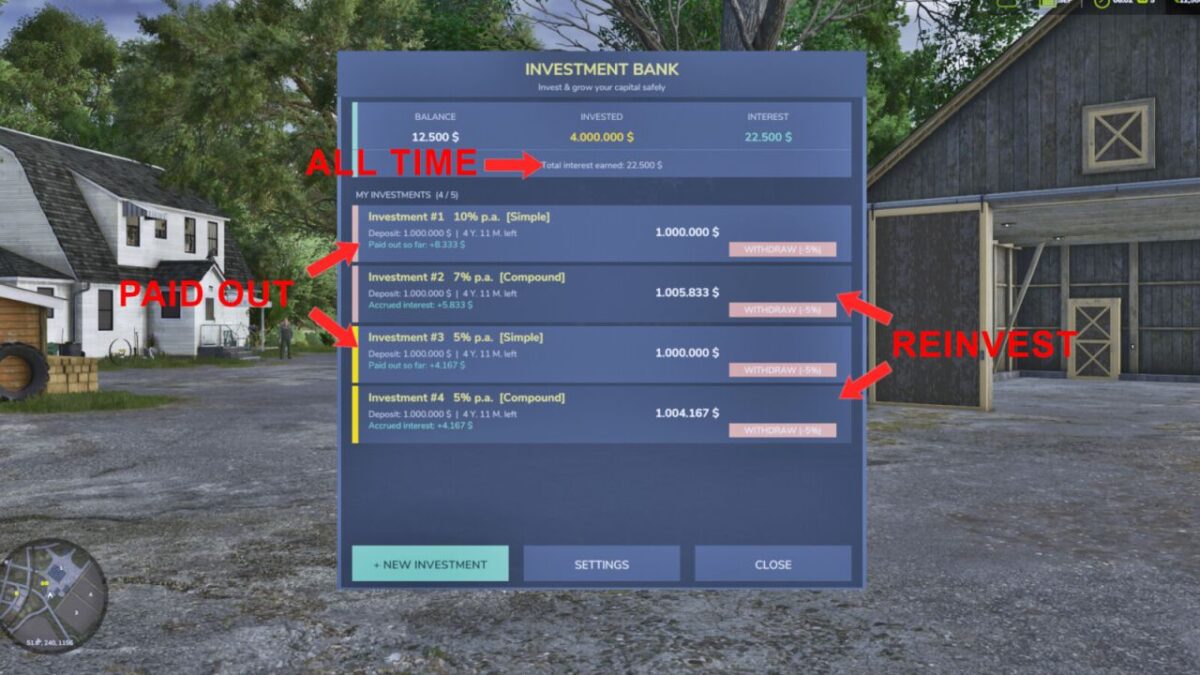
– Simple interest: monthly payouts directly to your account
– Compound interest: interest is reinvested and paid out at the end of the term
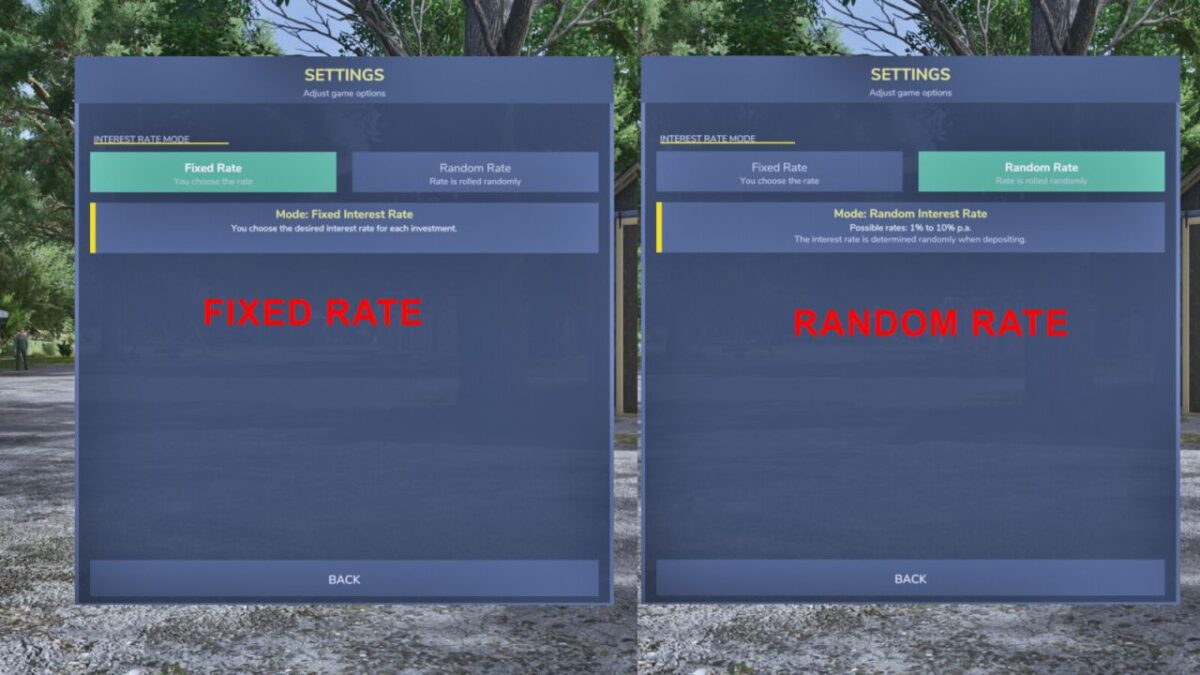
– Random rate mode: the bank rolls a random rate when you deposit (configurable)
– Up to 5 simultaneous investments per farm
– Investments expire automatically and pay out without any fee
– Early withdrawal possible at any time for a 5% fee
– Live yield preview before confirming a deposit
– Remaining term displayed per investment (years & months)
– Settings page to switch between fixed and random interest rate mode
Open the bank with F7
Minimum deposit: 1,000 | Maximum deposit: 50,000,000
Credits:
[KaiGo Modding] GamingGonso


