

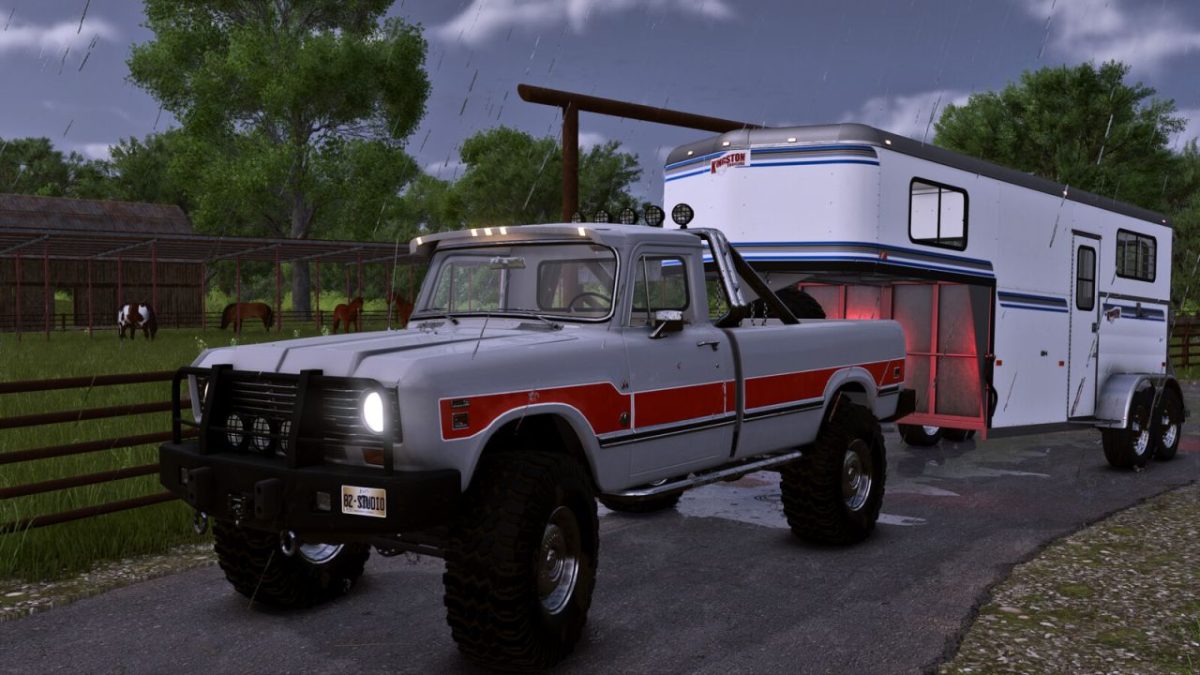
International 200 Series v 1.0


An old timer receiving an extra round of care and love, the IH 200 Custom will be your absolute daily driver.
Featured functions/options:
– New set of custom colors made for the ocasion
– Full animated dashboard
– Hidden gooseneck attacher. It only appears when in use.
– Selectable rear hitch
Featured configurations available at the store:
– Configurations: stock, preset 1
– Custom bumpers
– Decals (featuring a unique old-timer look with rust spread all over)
– Bed Options: Toolbox, Rollbar or Canopi
– Cabin Visor (Yes/No)
– Steps (Yes/No)
– Fender Flares
– Hood Scoop (Yes/No)
– Extra Lights (depending on bumper and rollbar selection)
– Underglow
– Special Editions: Featuring Black Belle, Copperhead, Silver Bullet and Sad Belle among a huge list of custom colors
(2 rows of options, first row includes the rims, second row affects inly the truck metals leaving the rims to setup separately)
– Wheels configurations; countless options of tires/rims to match youyr style!
– Engine options; basic, fine tuned and turbocharged
Price (base) 31500 $
Credits:
82Studio


