Hydraulic Suspension System v2.0


Ever noticed that the tractor front axle in the game feels like a steel beam? Hit a rock and the whole tractor jumps, the wheel barely moves. This mod gives tractors the hydraulic front suspension they have in real life.
Suspension that really works
The wheel moves up and down over bumps and rocks, and you can see the links, cylinders and shaft moving. The tractor is much more stable and comfortable.
Automatic leveling
Just like real tractors: add front weights or a heavy implement and the front returns to the right height by itself in a few seconds.
Every brand with its own system
John Deere ILS and TLS, Fendt, Claas PROACTIV, Terraglide (Case IH / New Holland / Steyr), MF Quadlink, Valtra, Deutz-Fahr and McCormick. Each one behaves differently, some softer, some firmer.
Driving modes
– AUTO – levels by itself
– WORK – firmer when working in the field or when the front starts bouncing
– LOCKED – stiff axle for front loader work or heavy transport
– MANUAL – raise and lower the front yourself (only on JD ILS and Fendt, like in real life)
Keys
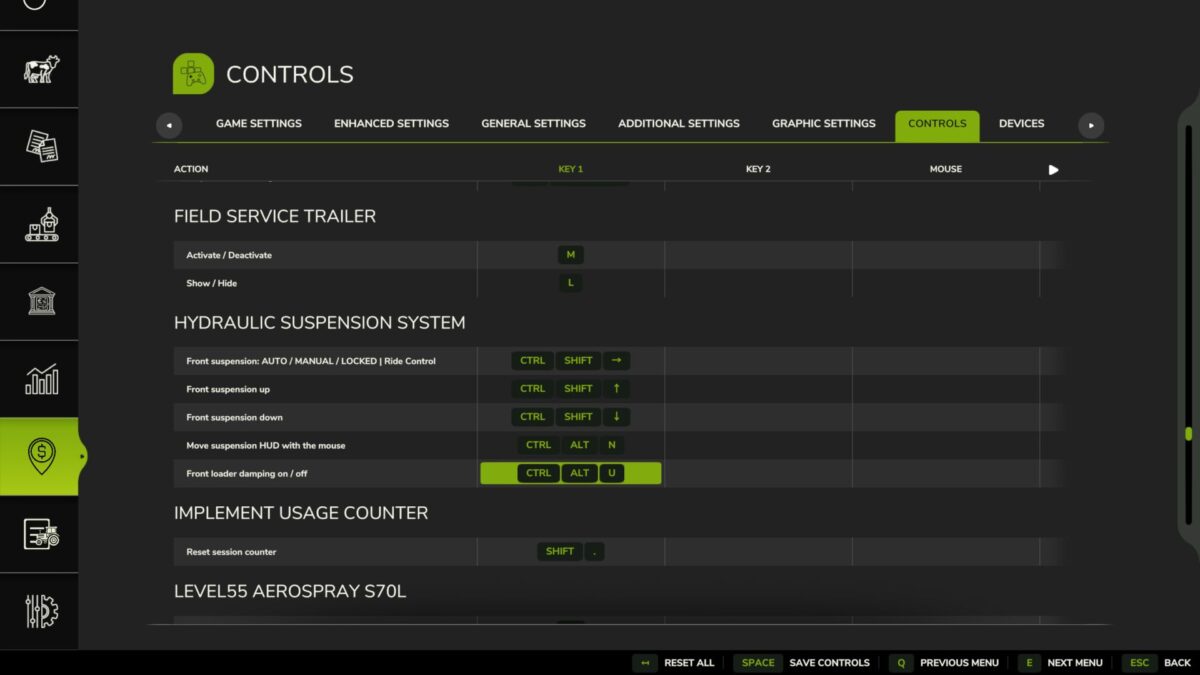
Ctrl+Alt+U – change mode
Ctrl+Alt+↑ / ↓ – raise / lower the front (manual mode)
(can be changed in control options)
Only works on tractors that have this system in real life: medium and large tractors from the listed brands. Small tractors and crawlers stay as they are.
BETA VERSION
The mod is still being tested, especially in multiplayer. lot of work needs to be done, but so far is playable and tweaks and fixes will be released from users feedback and suggestions, If you find a problem, please send me your log.txt file. In multiplayer, I need the log from both the host and the player who joined.
Version 2.0:
– Suspension window (Left Alt + U): system, mode, height, front-loader stabiliser and live state (axle load, weight on the front, cylinders, spring, damping, warnings) with a side view of the axle. Settings and panel moved from the game’s menu into the window.
– Trucks (new): rear air suspension with levelling (ECAS), up to 3 axles. Same ride height empty or loaded, manual height for loading docks and coupling, back to ride height by itself above 30 km/h. 8×4 tippers and bigger keep their leaf springs. Can be switched off.
– Levelling only on tractors that have it in real life (brand, weight and minimum power, default 120 hp). Small / simple tractors get a swinging pendulum front axle without suspension instead of the game’s soft suspension. Tracked tractors are left alone.
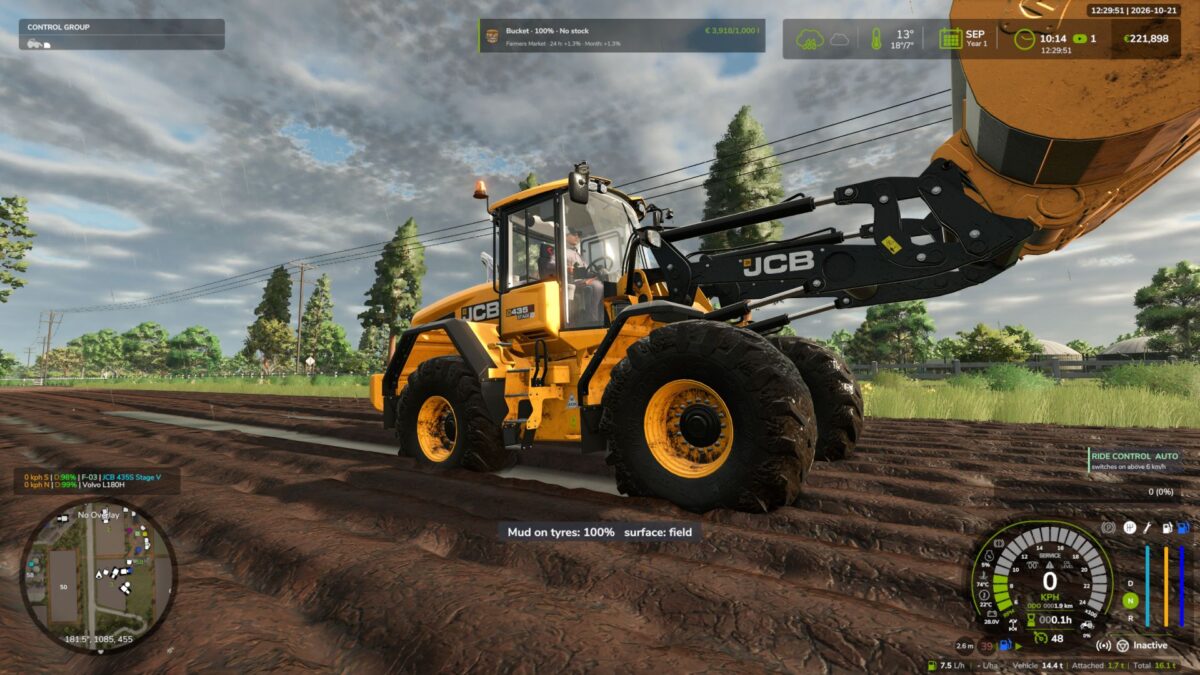
– Wheel loaders and telehandlers: Ride Control (boom suspension with accumulator) above 6 km/h, rigid below for precise work; Ctrl + U switches AUTO / OFF.
– Front loader on tractors: the load really floats with the movement of the arm tip; on / off in the window.
– Firmer damping on the road above 30 km/h; JCB Fastrac rear self-levelling suspension; hydraulic valve sound.
– Rigid front axles (e.g. John Deere 7030) move and tilt as one piece.
– No more shaking on independent suspension (JD 8R ILS) and no more little hops when switching tractors.
– Panel: warnings “end stop” and “front too light – add ballast”, name of the tractor’s system; can be switched off; hides while the window is open and when Zasty HUD is active.
– Cars, combines and other vehicles are left alone (shop category is checked).
– Keys: Ctrl + U mode, Ctrl + Alt + Up / Down manual height (hold), Alt + U window. Removed: Ctrl + Alt + L and Ctrl + Shift + U (now in the window).
– Fix: the default keys were not assigned on a new installation.
KEYS (default)
– Left Ctrl + U: Suspension mode (Ride Control on wheel loaders)
– Left Alt + U: Suspension window
– Left Ctrl + Left Alt + Up / Down arrow: Manual height (hold)
These are the default keys. If one of them is already used by the game or by another mod, go to Options > Controls and set the key you prefer, to avoid conflicts.
Credits:
zasty chalk, Cris669, Patrik Vendelberger