HTZ T-150 K v 1.0


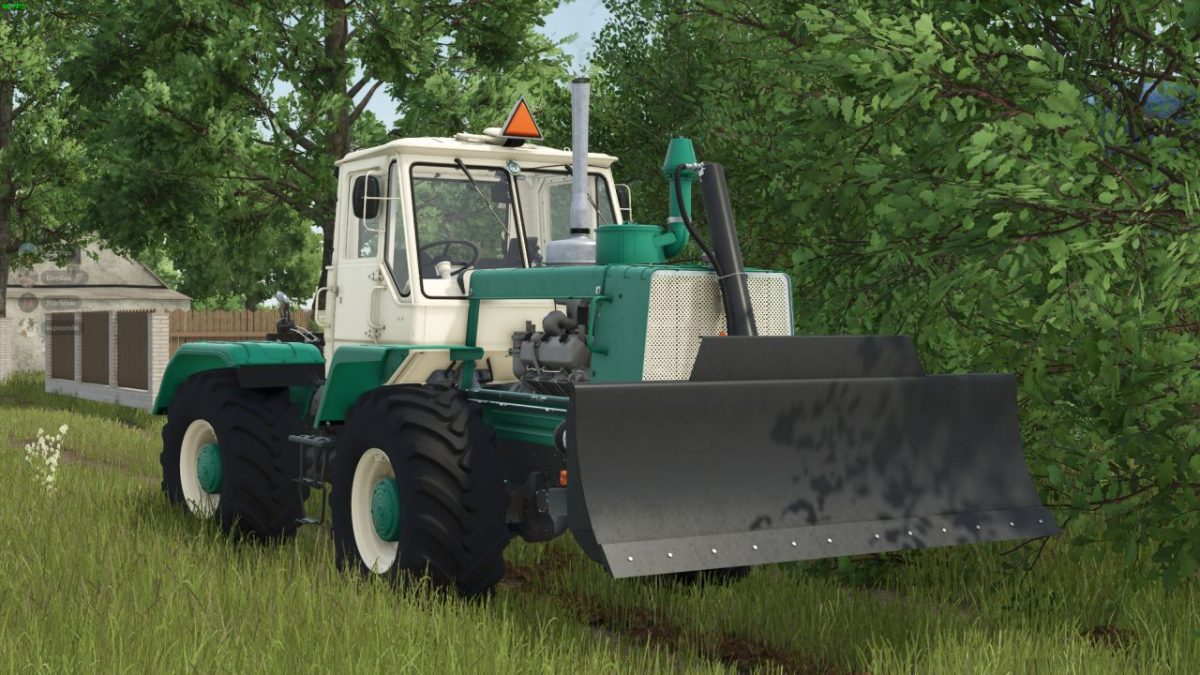
The HTZ T-150 K is a versatile medium tractor designed for various farming tasks in Farming Simulator 25.
Priced at 55,000, this tractor features a range of customizable options, allowing players to tailor it to their specific farming needs.
Players can choose from multiple wheel setups and mirror configurations, enhancing both functionality and aesthetics.
The HTZ T-150 K offers flexibility with several configurations for front and rear work lights, ensuring visibility and safety during nighttime operations.
Additionally, mudguards, footrests, and a battery box can be adjusted to suit individual preferences.
This model includes options for cyclone configurations, air signal settings, and an air conditioning unit for enhanced comfort.
It also supports various accessories, making it adaptable for diverse farming tasks.
The inclusion of GPS configurations offers improved precision for farming activities, while the bulldozer configuration allows for a wider range of operations.
Moreover, this tractor comes with added support for Realgps, providing an extra layer of realism for players who seek an immersive experience.
– Category: Medium tractors
– Price: 55,000
– Wheel setup configurations
– Mirrors configurations
– Front work light configurations
– Additional light configurations
– Rear work light configurations
– Mudguard configurations
– Foot
Credits:
Supesmile, RusAgroTeh, AgroFermaUA