FS25 Forage Trailers

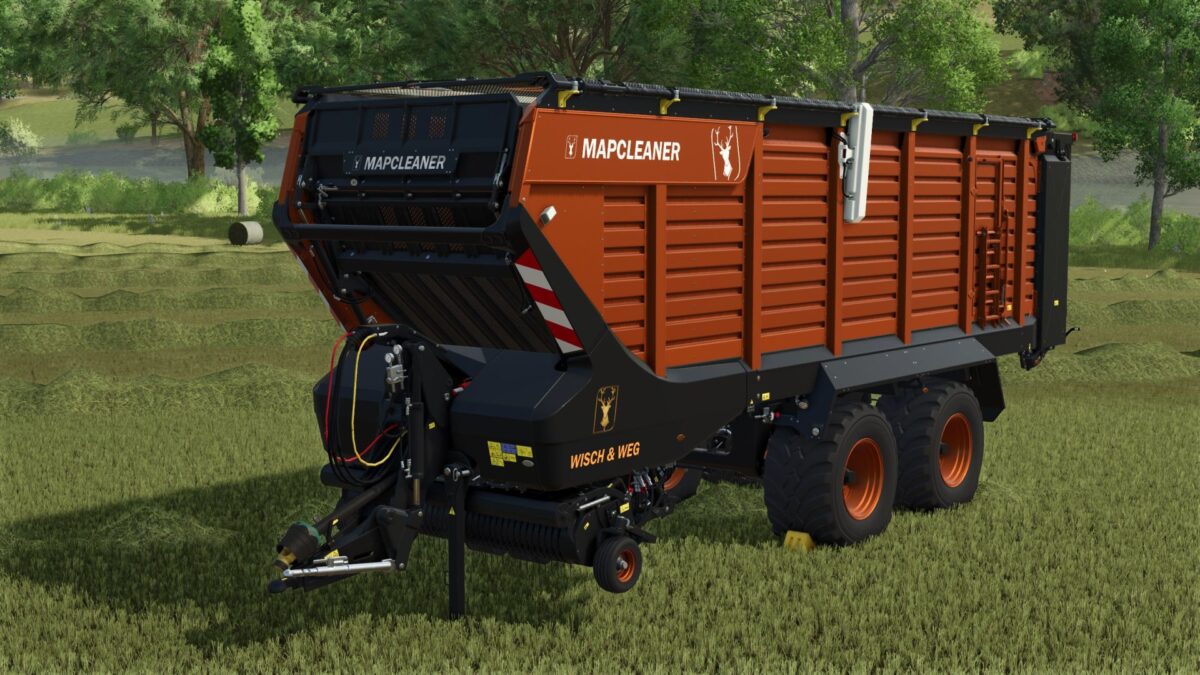
Hirschfeld Map Cleaner Forage Trailer v 1.0

Hirschfeld Map Cleaner Forage Trailer v 1.0

This self career is known and popular with fans since FS19 and 22 – and in FS25, it brings even more power and efficiency to your fields.
The Mapcleaner is a real giant: with a huge working width, a XXL filling volume and a considerably increased working speed, it is the perfect tool for all those who want to master large areas quickly and effectively.

It doesn’t matter whether it is grass, straw or silage or everything else.
The Mapcleaner is always ready to make your life easier as angider.
Price: 158,000 €
Power required: 250cv
Width: 30m
Capacity: 550,000L

Credits:

Mario Hirschfeld

How to install FS25 Forage Trailers?
Firstly find a mod which you like and want to download. Then download a mod to your PC. Mods are usually in .zip format file. But sometimes it can be in .rar. If a mod file is a .zip format no needed additional actions. If a file is in .rar, then you must unarchive mod with software like WinRar or Zip7. Windows 10 users no need to use software for archives, Win10 itself has a feature to unarchive files.
The next step is to find mods folder in your PC. Usually, it is in Documents/My Games/Farming Simulator 25/2025. Open the "mods" folder and put downloaded .zip archive or unarchived .rar file to this folder.
Last step. Enjoy of FS25 mods!

Leave a Reply

Your email address will not be published. Required fields are marked *