

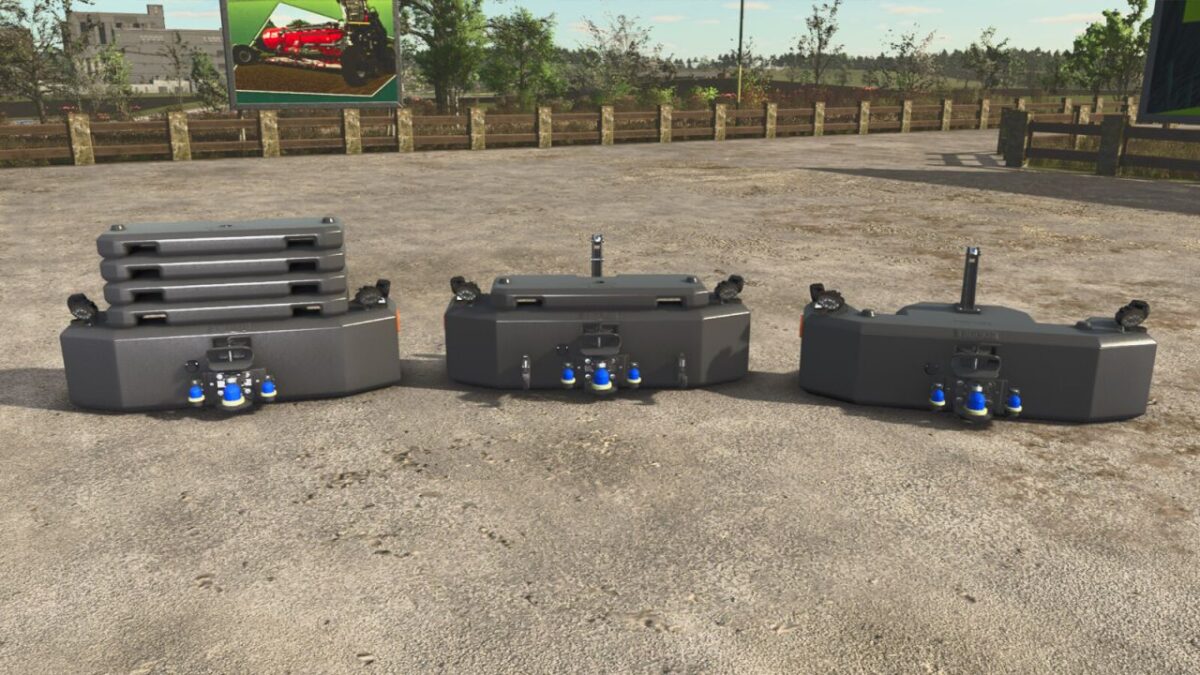
Hi-Vis LED Lights Tractor Front Weight v 1.0.2.0


Basic weight Cat. III is made of Special magnetite material, additional cast iron weights can easily be attached to the basic weight. This weight is retrofitted with a heavy duty, weatherproof and ISO 11783-2:2019 certified ISOBUS Breakaway Connector (IBBC) for smooth connections between the tractor and weight and with the included wire harness it will give power to 4 pre-installed Hella work lights and 2 embedded Strobelights and 2 sidereflectors, also equipped with a 3 Point implement linkage which allow you to mount your favorite 3-Point Attachments to this weight.
Brand: CLAAS
Shop Category: Weights
Price : Starts at $3450
Base Weight: (Front) 1800kg / 3968lb
Combinations:
– Cat. I (small tractor – 20hp to 45hp)
– Cat. II (medium tractor – up to 90hp)
– Cat. III (large tractor – over 90hp)
Additional Weight Blocks: 400kg cast-iron weight(s) for attachement to the basic weight.
– 3 Point Implement Linkage
Version 1.0.2.0:
* Updated ModDesc Version
* Corrected faulty electric connection between Isobus and tractor
* Added extra strobe lights
* Added choices for strobe and beacon lights
Credits:
Scandinavian Vikings Mod-Rebuilds Team


