
Hella Rear Lights Pack v 1.1


A pack of six (6) custom designed Hella rear lights for modders to install on vehicles or equipment.
High quality custom diffuse, emissive, vmask and normal map included.
Xml also included.
Credits:
My GameSteam
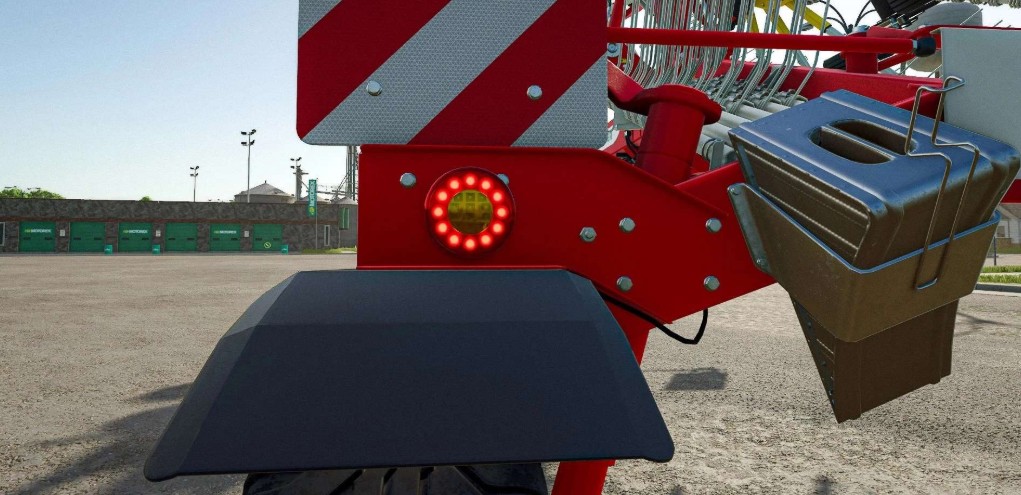
A pack of six (6) custom designed Hella rear lights for modders to install on vehicles or equipment.
High quality custom diffuse, emissive, vmask and normal map included.
Xml also included.
Credits:
My GameSteam
How to install
FS25 Misc?
Firstly find a mod which you like and want to download. Then download a mod to your PC. Mods are usually in .zip format file. But sometimes it can be in .rar. If a mod file is a .zip format no needed additional actions. If a file is in .rar, then you must unarchive mod with software like WinRar or Zip7. Windows 10 users no need to use software for archives, Win10 itself has a feature to unarchive files.
The next step is to find mods folder in your PC. Usually, it is in Documents/My Games/Farming Simulator 25/2025. Open the "mods" folder and put downloaded .zip archive or unarchived .rar file to this folder.
Last step. Enjoy of FS25 mods!


