FS25 Buildings

Ground Water Pump v 1.0

Ground Water Pump v 1.0

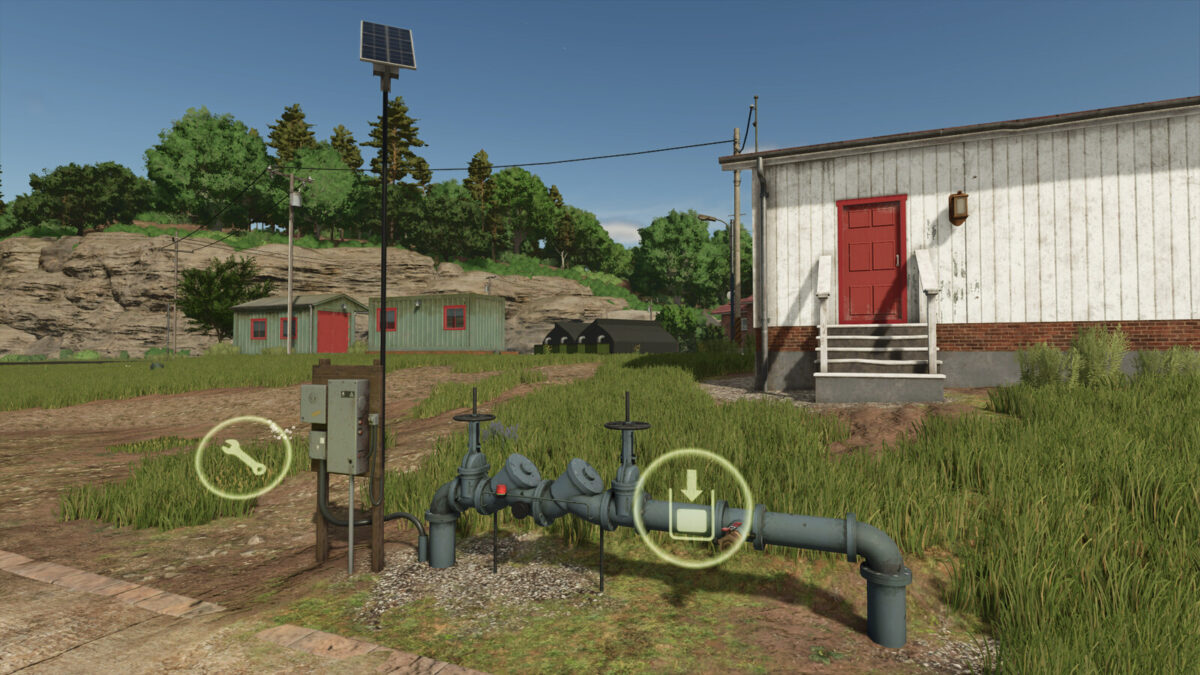
Pump to extract water from an underground aquifer.
You can distribute the water to your greenhouses and other production sites that need it, and refill your tanks to take it wherever you want.

Price: $3000
Daily maintenance: $5
Water extraction: 10000 l/h

Instructions for use:
– Place the pump in the desired location.
– Activate the extraction (production) of water.
– Select the “Distributing” output mode and wait for the water to reach its destination.

NOTES:
– It takes a while for the water to reach its destination (maybe more than an hour), don’t worry, just wait.
– If the pump extracts more water than you need, it will eventually fill up, in that case deactivate the extraction to avoid unnecessary costs.

Credits:

Keltibero

How to install FS25 Buildings?
Firstly find a mod which you like and want to download. Then download a mod to your PC. Mods are usually in .zip format file. But sometimes it can be in .rar. If a mod file is a .zip format no needed additional actions. If a file is in .rar, then you must unarchive mod with software like WinRar or Zip7. Windows 10 users no need to use software for archives, Win10 itself has a feature to unarchive files.
The next step is to find mods folder in your PC. Usually, it is in Documents/My Games/Farming Simulator 25/2025. Open the "mods" folder and put downloaded .zip archive or unarchived .rar file to this folder.
Last step. Enjoy of FS25 mods!

Leave a Reply

Your email address will not be published. Required fields are marked *