

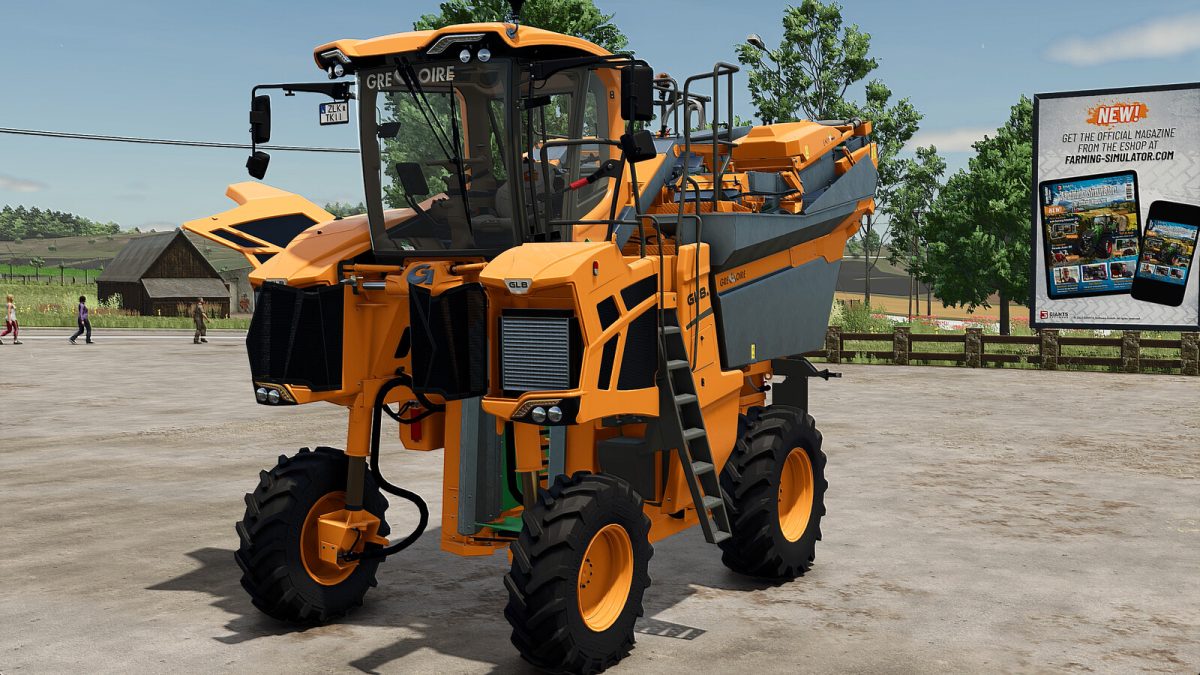
Gregoire GL Series Plus v 1.0


This grape harvester has been designed to offer a gameplay experience that is not only more authentic but also more realistic.
– It features a turning radius of up to 90°, greatly facilitating maneuvering.
– The machine is equipped with several dynamic animations, such as door opening and the adjustment of the driver’s seat and steering wheel, ensuring optimal comfort.
– An adjustable main screen displays an analog RPM counter and functional sliders to visualize the hopper fill level.
All animations are controlled via the mouse and are organized into five distinct groups:
– Group 1: Door, rear window, and steering wheel (with three possible movements)
– Group 2: Driver’s seat, armrest, and monitor
– Group 3: Secondary monitor and sliding sun visor
– Group 4: Maintenance flaps for radiators and engine
– Category: Grape and Olive Harvesters
– Price: 253 000 $
– Power: 165-190 HP
– Max Speed: 35 km/h
Credits:
Just Farming


