

Grass Texture v1.0.1.0


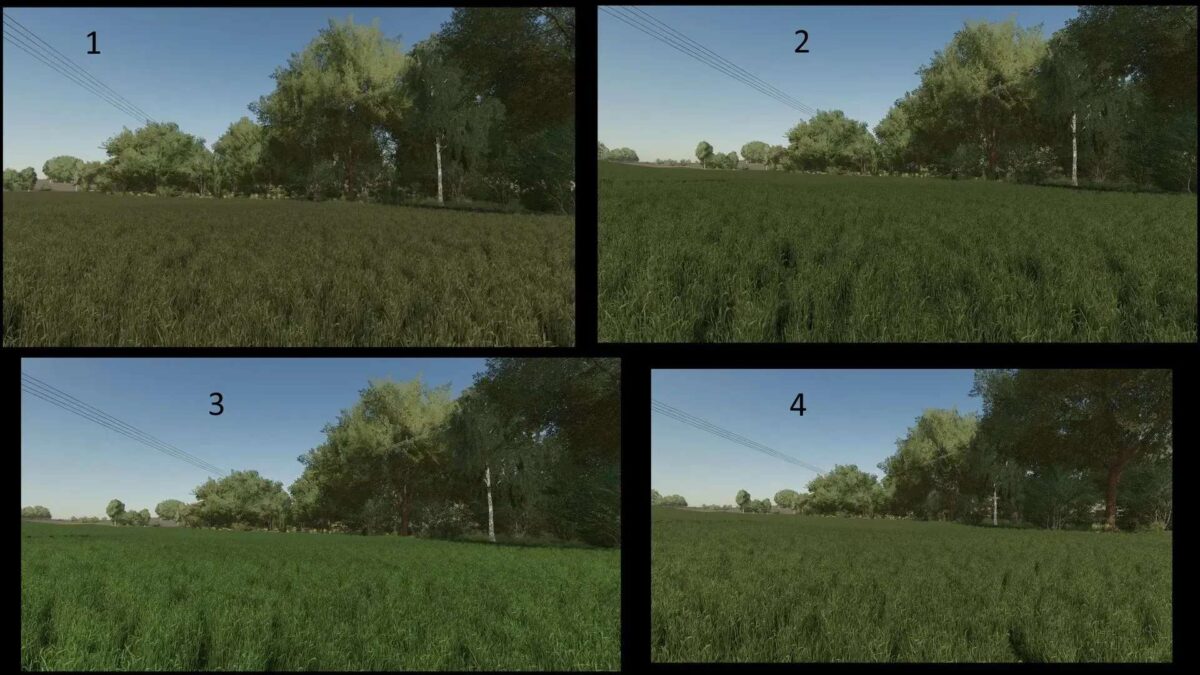
Grass Texture v1.0.1.0 is a modification that enhances the visual appeal of the grass in Farming Simulator. This mod features an edited version of the original grass texture, with adjustments made to its height, density, exposure, and saturation. These modifications aim to provide a more realistic and immersive environment for players. The adjustments ensure that the grass looks fuller and more vibrant, contributing to a more dynamic and appealing landscape as you cultivate your virtual farm. The mod is designed to integrate seamlessly with the game, maintaining performance while improving the overall aesthetic.
Original grass texture edited and adjusted.
Edited the original grass texture a bit.
Adjusted the height, density, exposure and saturation.
Credits:
johannesG


