

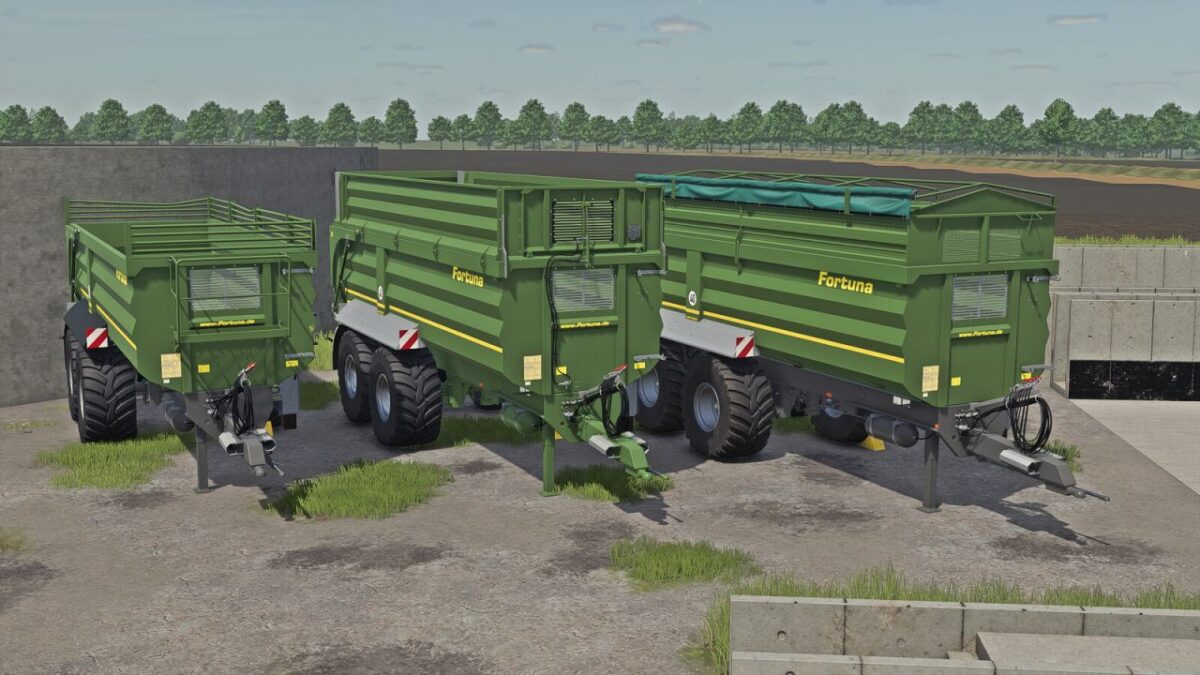
Fortuna FTM 200/7.5 v 1.0


ategory: Trailers
Price: $50,500
Capacity: 26 m³ – 39 m³
Compatible with FS25_VariableTipHeight for adjustable unloading/tipping height.
To mark Fortuna’s 75th anniversary, the FTM 200 7.5 comes with a modern equipment package.
Available options include a stylish gray chassis, various body configurations in freely selectable colors, an LED lighting package, a reversing camera, and a digital fill level indicator with a weighing system.
The FTM 200 7.5 offers versatile configuration options for different farms and applications.
Configurations:
– Extension: without extension/triangle and plane / 600mm extension / 600mm extension triangle and plane / 800mm extension/sugarbeet extension
– Color: chassis / body / extension / fenders / cover / ladder holder / front mesh / rims
– Extra Digital Filllevel Display: no / yes
– Additional Rearhitch: no/yes
– Extra rear lights: no/yes
– Backlight Cover: no/yes
– Backdoor Logo: no/yes
– Camera on Backdoor: no / yes (For function requires Mercedes-Benz addon/otherwise is only decoration)
– Platform: no/yes
– Ladder: no/yes
Credits:
Elch97Design


