

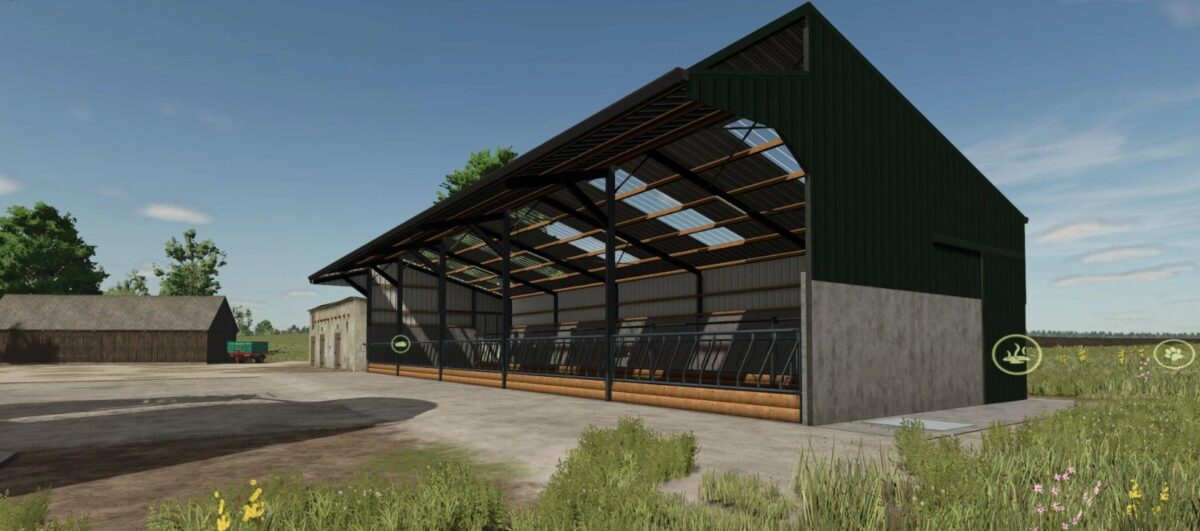
Five Bay slatted Cow Shed v 1.0


The Five Bay Slatted Cow Shed v 1.0 provides a functional shelter for dairy farmers, accommodating up to 25 cows. With dimensions of 26.7 meters in length, 11.1 meters in width, and a height of 6.7 meters, this shed offers ample space for animal movement and management.
Featuring sliding doors on each side, the structure ensures easy access for both livestock and machinery. The two feed gates can be opened for straightforward feeding, promoting efficiency during feeding routines. A light switch is included for adequate illumination, enhancing visibility during early mornings or late evenings. Additionally, the shed has an automatic water system, allowing for constant hydration for the cows without requiring manual intervention. This mod aims to enhance the farming experience by providing a practical solution for livestock housing.
– Capacity: 25 cows
– Dimensions: 26.7m x 11.1m
– Height: 6.7m
– Sliding doors at each side
– 2 feed gates open
– Light switch
– Automatic water
Credits:
Janko92, Sully


