

First Person Player Body v 1.0.5.0


First Person Player Body adds a “full” character display in first person mode in Farming Simulator 25.
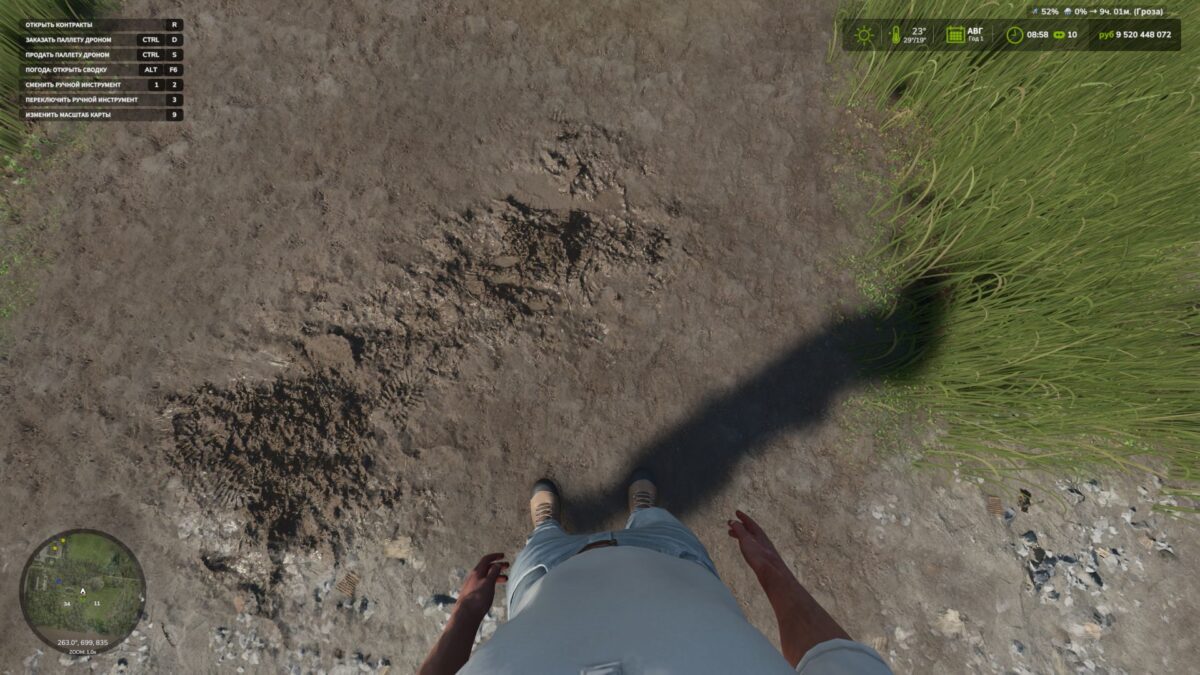
Now, when looking down, the player can see their animated body, legs and arms, while the character’s movements are correctly displayed along with the camera.
The head remains behind the camera so it does not obstruct the view, but it still contributes to the formation of the shadow.
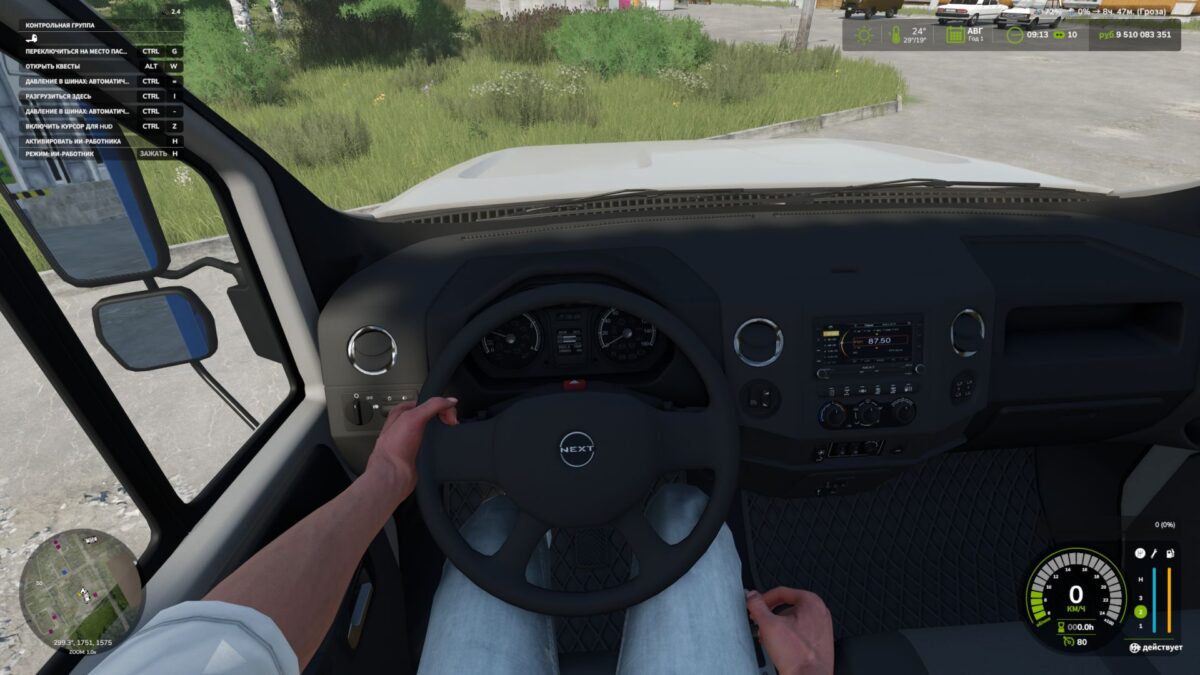
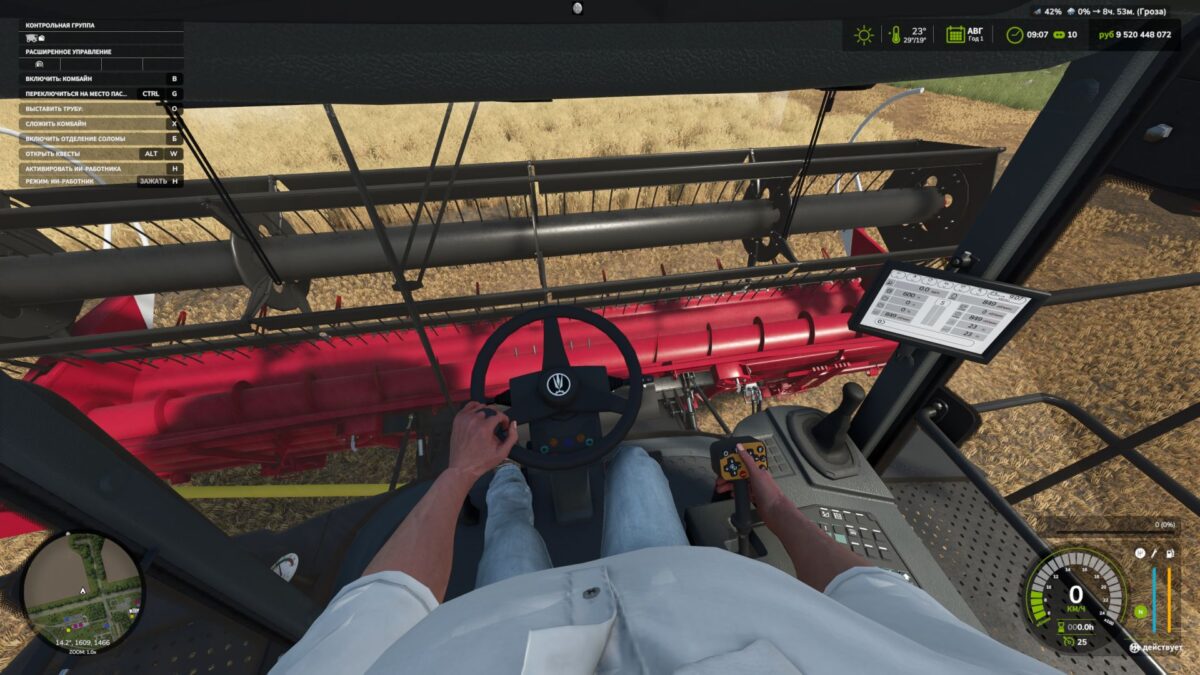
The mod also improves the first person view inside vehicles.
When using the interior camera, the default seated driver model is displayed.
The camera can follow the eye animation and the movements of the seated character.
The mod settings include:
On foot
Player body visibility.
Camera side-to-side movement.
In vehicles
Driver body visibility.
Camera position — default or eye level.
Camera following the driver’s animation.
Version 1.0.5.0:
* Added interior cabin zoom or FOV. Adjust with the mouse wheel, press the mouse wheel to reset (not tested with other mods that work with FOV: to avoid problems, I recommend not using them)
Various minor fixes
Credits:
BMProd


