

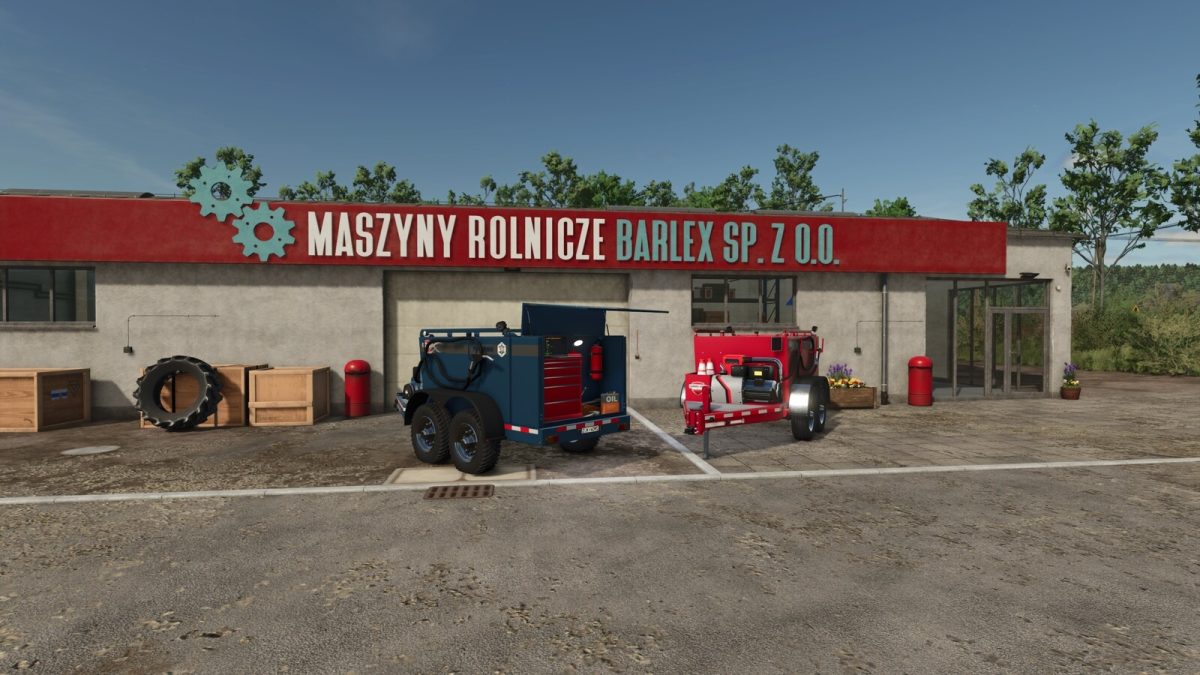
Field Service Trailer v 1.0.1.0


Remote Service trailer that enables you to configure and repair vehicles in the field and can also carry fuel if required.
Rear door must be open to activate workshop menu. When a vehicle enters the trigger the servicing information will be available on the laptop computer.
To begin refuelling first start the engine and then select the required work modes from list below:
– Diesel: Refuel or refill vehicles from storage tank
– Electric Charge: Charge electric vehicles using generator
– DEF: Refuel or refill vehicles from storage tank
Price: 24500 $
Category: Miscellaneous
Capacities:
– Configuration Standard: Diesel 2875 l
– Configuration +DEF: Diesel 2000 l / DEF 850 l
Store Configurations:
– Strobe Lights: Activated using ‘Beacon’ key binding.
– Glowing Markers: Square markers that glow ‘Blue’ when a valid vehicle enters the trigger.
– Configuration +DEF: Option for users of the AdBlue / Def Pack mod or similar, not required in base game.
Trigger markers can be disabled if not required at each player trigger.
NOTE: When using ‘Automatic Engine Start’ you will be required to remain in the vehicle to continue ‘refuelling’ or ‘charging’. This is a base game requirement when filling from a trailer with this mode active.
Version 1.0.1.0:
* Fix random visibility update error experienced in some game situations
Credits:
GtX


