FS25 Cars

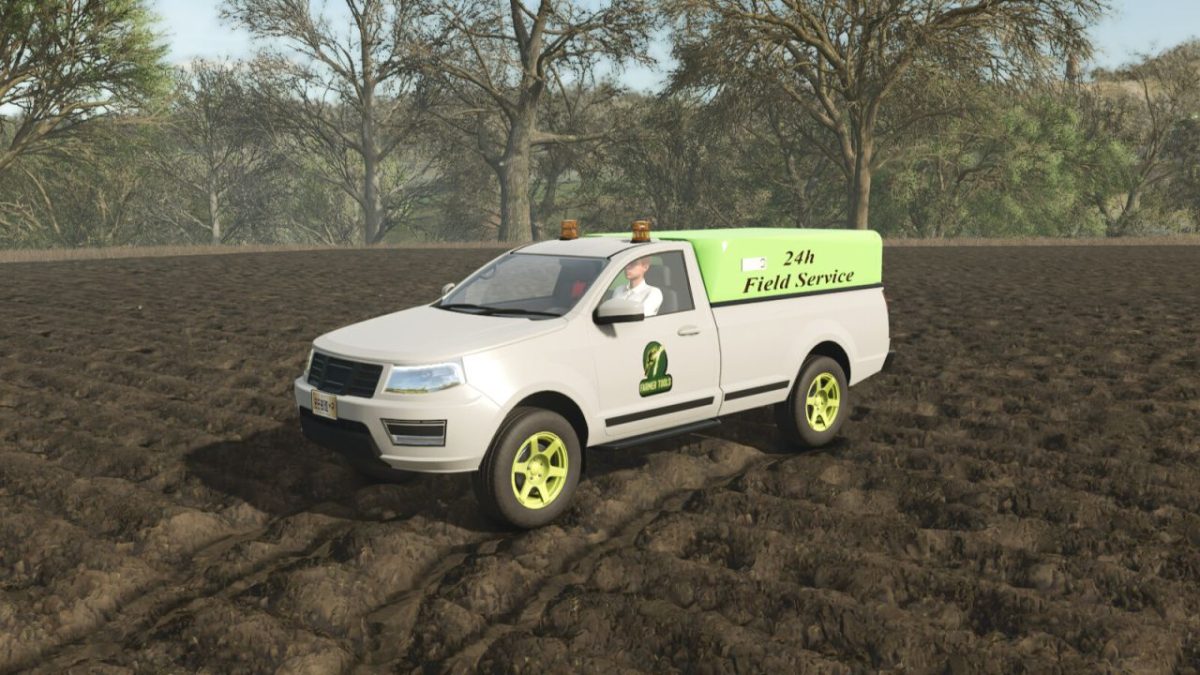
Field Repair Pickup v 1.1

Field Repair Pickup v 1.1

The 2017 pickup with a field repair extension.
A 4000l diesel tank for refuelling in the field is available.
Repairs are charged by money.
Refuelling with the vehicle closed on the right side.
Refuelling in the field on the left side.
Repair with the vehicle open at the rear.
Choice of colours for chassis, rims and body.
There is also a small high-pressure cleaner for cleaning the windows in the boot.

Power: 300HP
Max: 120 km/h
Tank: 4.000l diesel or 77kw/h
Price: 45.000 $

Version 1.1:
* Tension belts removed, deco added and fuel trigger increased
* Pickup now also available as an electric version

Credits:

Achimobil

How to install FS25 Cars?
Firstly find a mod which you like and want to download. Then download a mod to your PC. Mods are usually in .zip format file. But sometimes it can be in .rar. If a mod file is a .zip format no needed additional actions. If a file is in .rar, then you must unarchive mod with software like WinRar or Zip7. Windows 10 users no need to use software for archives, Win10 itself has a feature to unarchive files.
The next step is to find mods folder in your PC. Usually, it is in Documents/My Games/Farming Simulator 25/2025. Open the "mods" folder and put downloaded .zip archive or unarchived .rar file to this folder.
Last step. Enjoy of FS25 mods!

Leave a Reply

Your email address will not be published. Required fields are marked *