

Field Calculator v 1.0


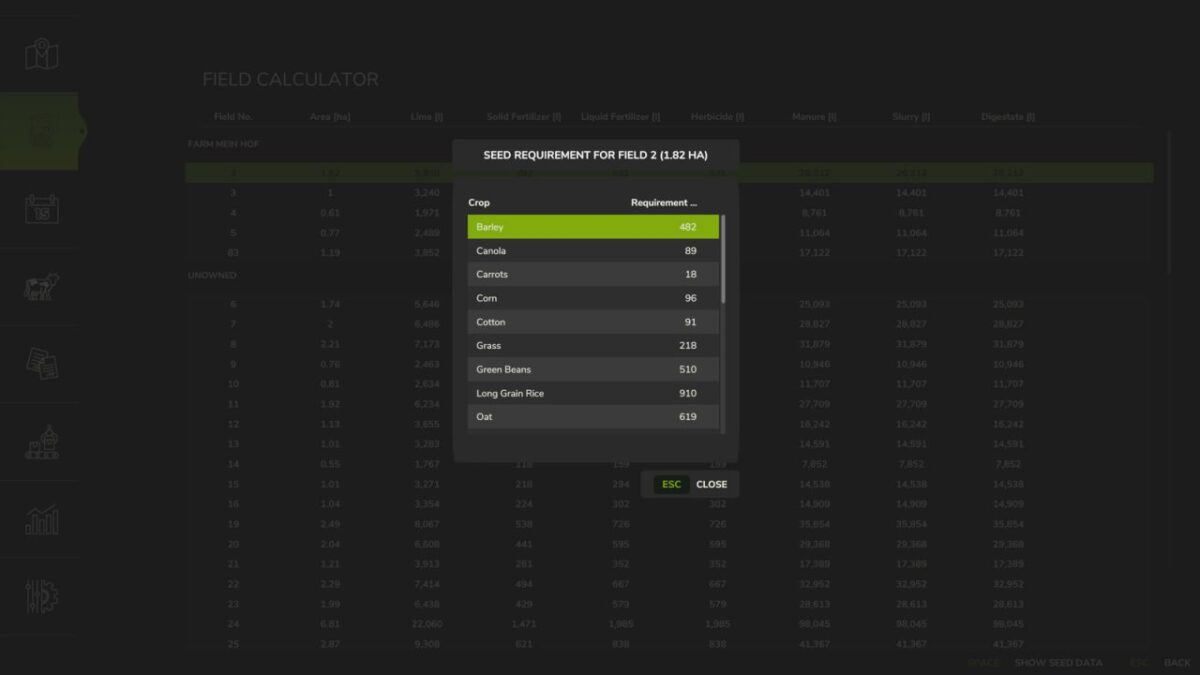
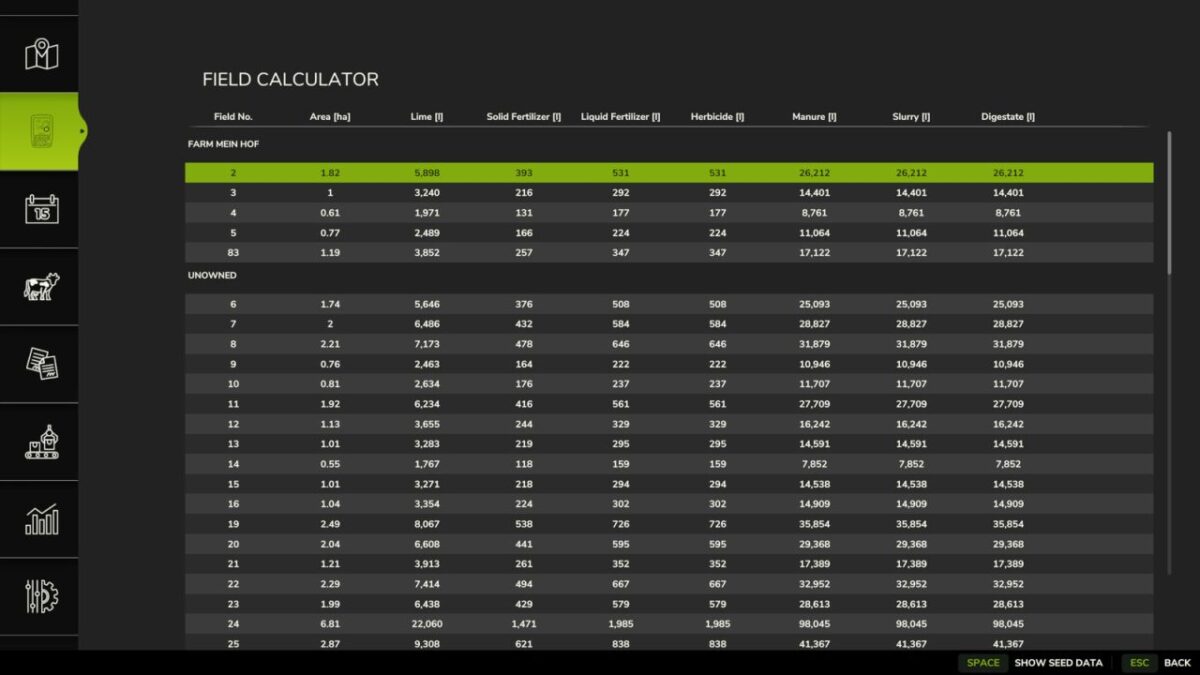
The Field Calculator adds a handy overview of your fields to the game and helps you plan your seed, lime, fertilizer, and crop protection.
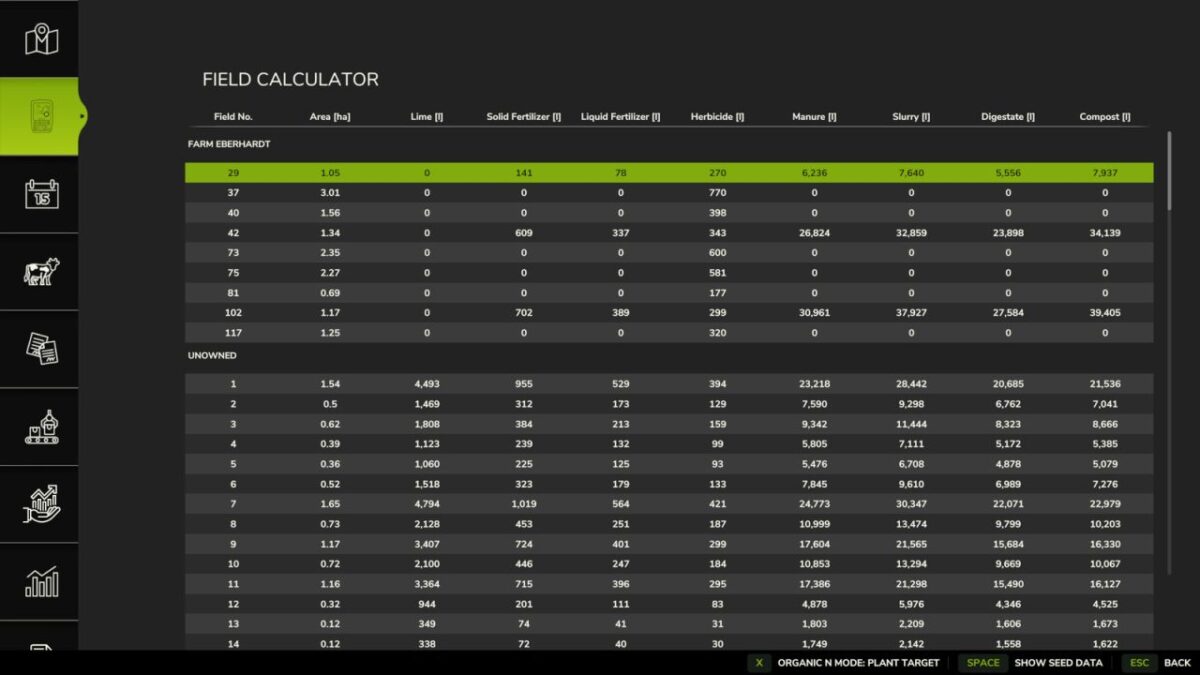
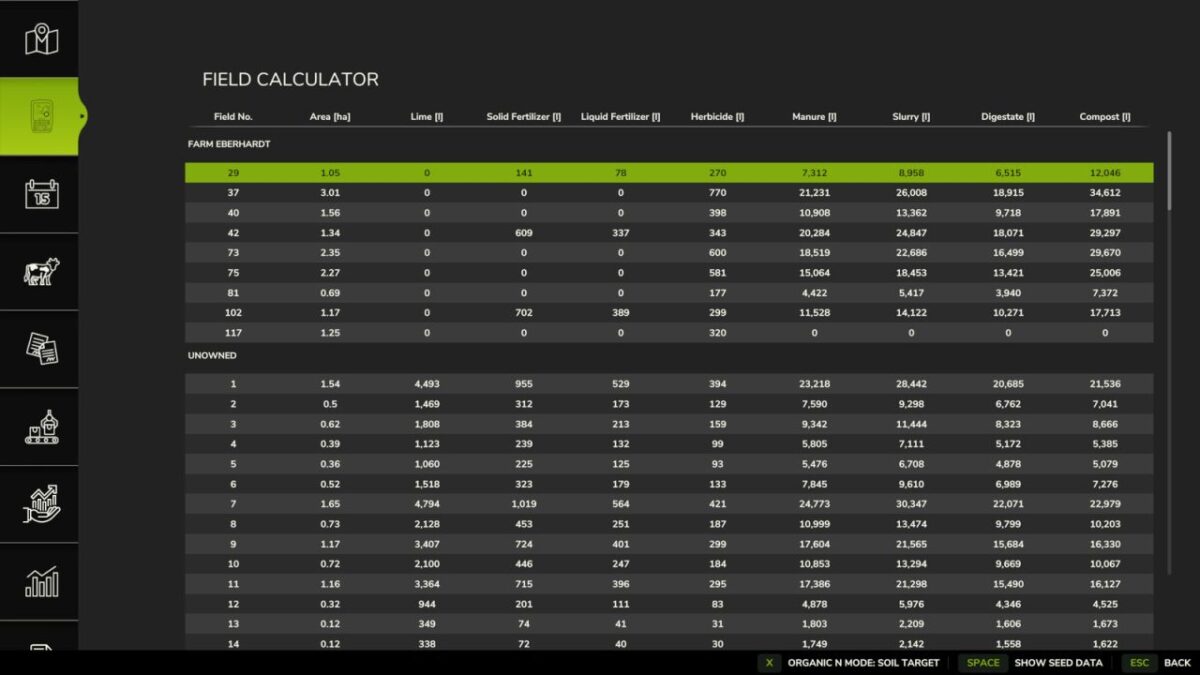
For each of your fields, it clearly displays the estimated requirements in the menu, so you can better prepare for purchases and work assignments.
It supports seeds, mineral fertilizers, liquid fertilizers, manure, slurry, fermentation residues, lime, and herbicides.
The Field Calculator not only recognizes the game’s fertilizers,
but also modmap-specific fertilizers, provided they are correctly implemented by the map.
The mod works with or without Precision Farming.
If Precision Farming is active, existing soil and sampling data are included in the calculation.
This gives you a much more accurate estimate for your fields.
For organic fertilizers, there is also a toggle switch that lets you switch the display between soil target and plant target.
This allows you to better tailor the calculation to your playstyle and your desired fertilization approach.
The herbicide display serves as a rough purchasing guide under Precision Farming and not as an exact needs calculation.
This provides you with quick, clear, and practical assistance for your field planning on standard maps and mod maps.
Credits:
[Weekend Farmers]


