

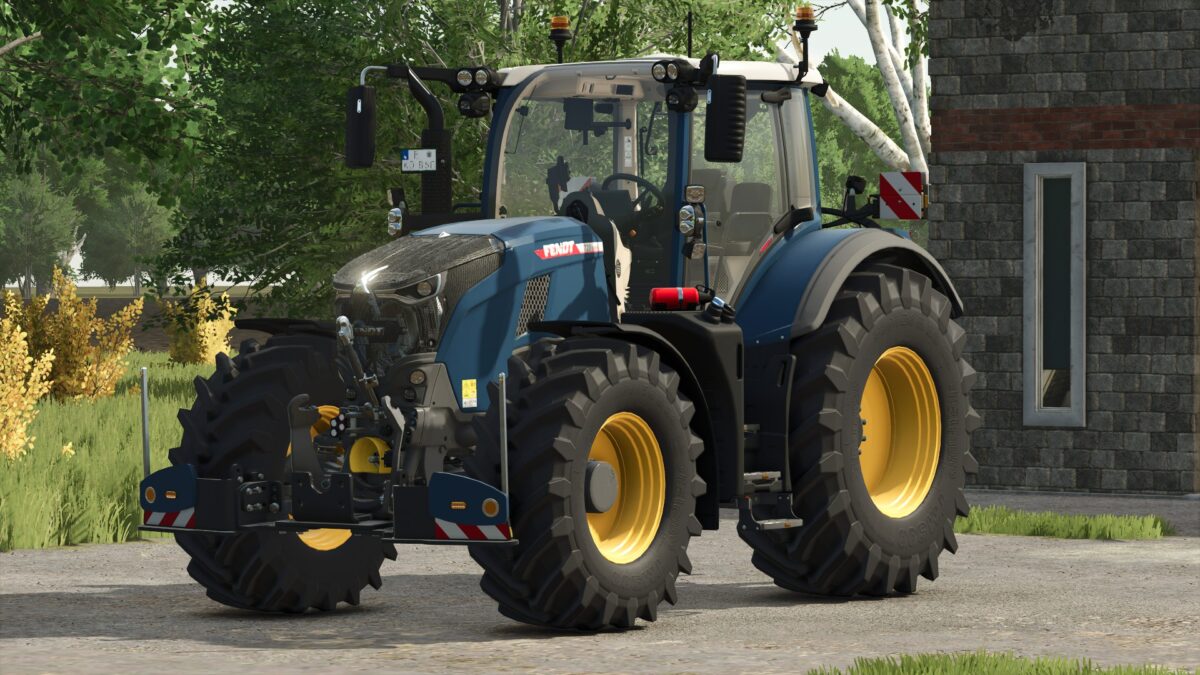
Fendt Vario 700 Series with Agribumper Options v 1.0.7.6


Adapted slurry tubing for Wienhoff FreeSight front suction arm
Original sound with turbo
Passenger script installed
PTG tire pressure control system with display in the interior (LOOKS ONLY/NO FUNCTION)
Fendt front loader console with hydraulic quick coupler
Decorative rope on the hood guard (front loader selection)
Lowering front axle with sound
Agribumper weight configurable from 400-1800 kg
Main color configurable (Fendt + Agribumper)
Rim color configurable
Agribumper: Speed camera Configurable
Agribumper: Configurable driving lights
Agribumper: Configurable side lights
Agribumper: Original prices
Rotating beacon can be configured between rotating beacon and flasher
Daytime running light color can be configured
CCI200 terminal: Lemken/Zunhammer/Kuhn/Krone/Amazone/Pöttinger/Horsch/Wienhoff
Decorative light can be configured
CB radio can be configured with lighting
Animated antenna and cable for CB radio
Fendt stickers on the front and rear windshield can be configured with color selection
Display start images
Display dark mode when lights are on
Cell phone can be configured with start image and dark mode when lights are on
Front loader can be configured: Hauer/Quicke with and without hood protection
Mouse control: Left door, roof hatch, and rear window with sound
Interior trim (beige) color-customizable
Work lights now have realistic shadows
Front flasher in the grille in 4 versions
Turbo shield in the grille
K80-K50 ball cover (hides when something is attached)
Rear fender color configurable
Version 1.0.7.6:
* 2nd version added with adapted paint finish ONLY high gloss available (Golden Diamond)
* Matte paint finish is now available again for the standard version
* Interior and seat material now remains the original fabric when changing colors
* Roof hatch now opens again with mouse control
Credits:
Finanzamt31er


