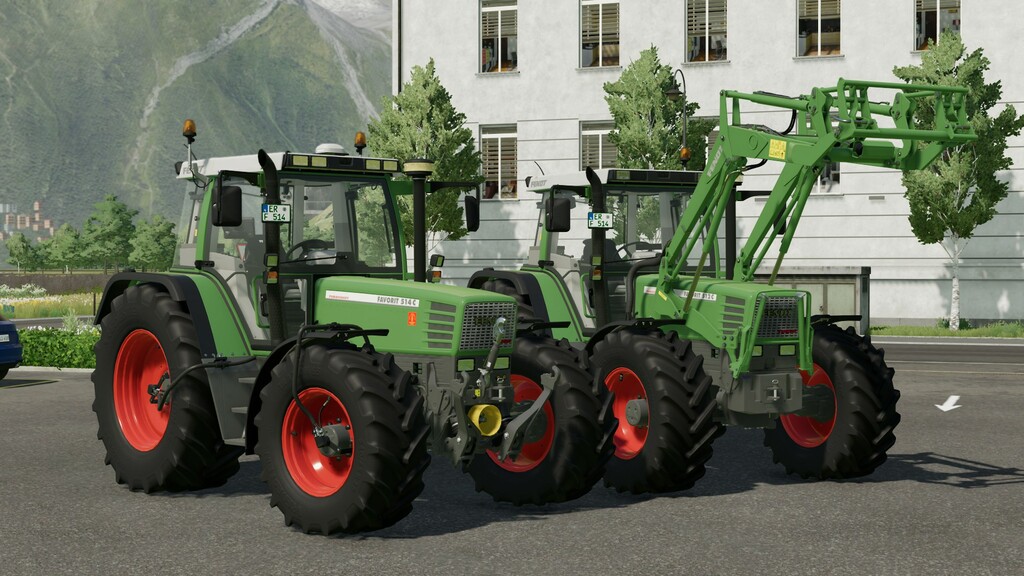
Fendt Favorit 509/515 C Series v 1.2


With the Favorit 500 C series, Fendt is once again setting the pace in a trend for tractor technology that extends far into the future. Technical progress is inextricably linked to long-term economic benefits for the farmer.
Price: 56,000$
Power: 95 – 150hp
Max. speed: 50 kph
Configurations:
– Fronthydraulic or baseweight
– Claas CTIC tyre inflation system
– Beaconlights
– Warning signs
– Decals
– Front fenders
– Carpet
– GPS
– 40 kph and 50 kph transmission
Supports interactive control
Fendt Frontloader 3S / 70
With the newly developed front loaders, Fendt once again sets standards as a front loader manufacturer. The design and technology of front loaders and Fendt tractors have been consistently matched. A Fendt front loader offers you the certainty of being tailor-made and optimally designed for every series in terms of lifting power, lifting height and equipment.
Price: 7,200$
Version 1.2:
Changes to the 509C and 510C:
– Collision on the bonnet fixed
– Weight adjusted
– Wrong position of front trailer coupling fixed
Changes to the 511C to 515C:
– Centre of gravity adjusted
Changes to all models:
– New air vents and filter cover installed
– Side windows can now be opened
– Seat cover changed
– Interior colours changed slightly
– Camera position and rotation limit changed
– Rear view mirror adjusted
– Fixed wheel clipping when heavily ballasted
– New rim weights installed
– New configuration for reflectors on the wheel hubs
– Converted from SimpleIc to Vertex-IC
– GPS is now optically configurable independently of the GPS mod
– Color selection added
– ShopOffset adjusted
– Frontloader console shading problem fixed
Credits:
Cayman