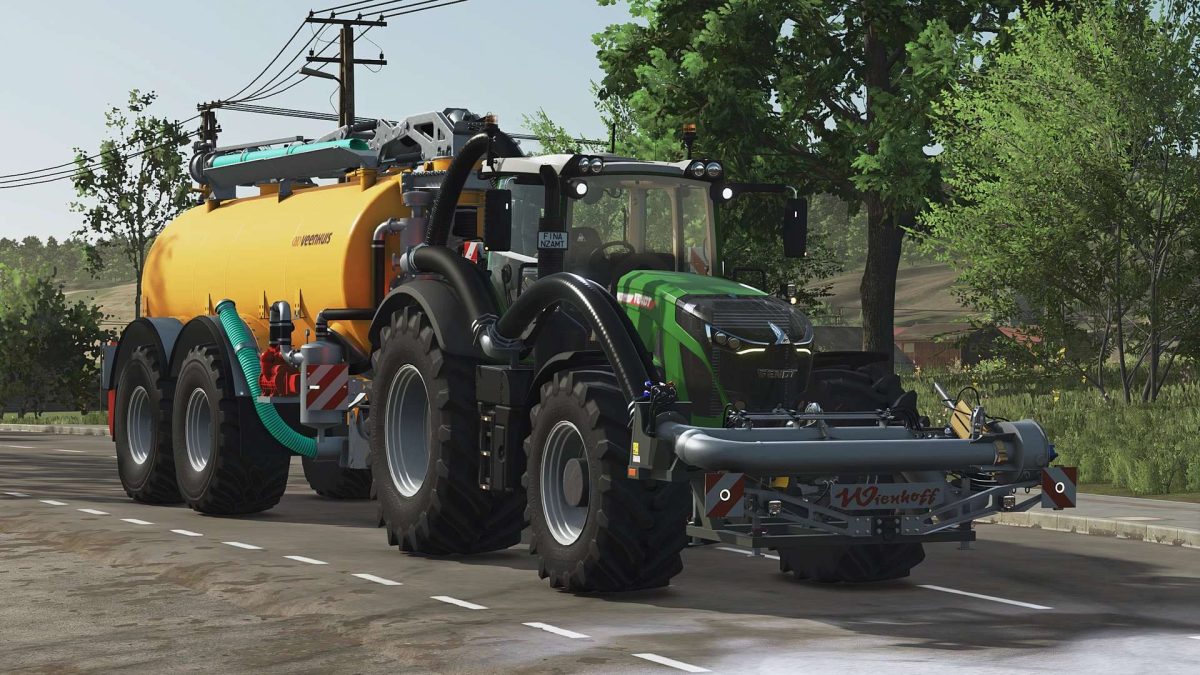
Fendt 900 Vario with Agribumper Options v 1.0.8.0


Agribumper weight configurable from 400-1800 kg
Adapted slurry tubing for Wienhoff FreeSight front suction arm
PTG tire pressure control system with interior display. LOOKS ONLY/NO FUNCTION
Main color configurable for Fendt+Agribumper
Rim color configurable
Front axle lowerable with mouse control and sound
Agribumper: Speed camera configurable
Agribumper: Driving light configurable
Agribumper: Sidelight configurable
Agribumper: Original prices
Rotating beacon configurable between rotating beacon and speed camera
Daytime running light color configurable
CCI200 Terminal: Lemken/Zunhammer/Kuhn/Krone/Amazone/Horsch/Wienhoff
Decorative lighting can be configured
CB radio with lighting can be configured
Animated antenna and cable for CB radio
Display start images
Display dark mode when the light is on
Interior trim (beige) can be customized in any color
Decorative rope at the front
Front flasher in the grill in 4 versions
Turbo shield in the grill
K80-K50 ball cover (hides when something is attached)
Rear fender can be configured (narrow/wide)
Rear fender color can be configured
Wheel hub color can be configured
Version 1.0.8.0:
Interactive Control:
NEW: Complete integration inside and out with a total of 48 IC points
Manually attach front and rear with “X” IC point
Lower front axle with IC in the interior with PTG controller
Sounds for doors, light switches, steering wheel, and front axle
Animations:
NEW: Drive lever now moves to the left when changing direction
NEW: Drive lever now moves to the right when cruise control is activated
NEW: Fold in warning signs
NEW: Fold in RUL
NEW: Retract roof monitor
NEW: Dark mode switch
Miscellaneous:
NEW: Start images on the displays
NEW: Flasher in the grille now has white glass
FIX: Combined raising and lowering with, for example, mowers now works in the correct order
FIX: Interior color stickers
FIX: Missing textures added to the left door
Credits:
Finanzamt31er, madabub