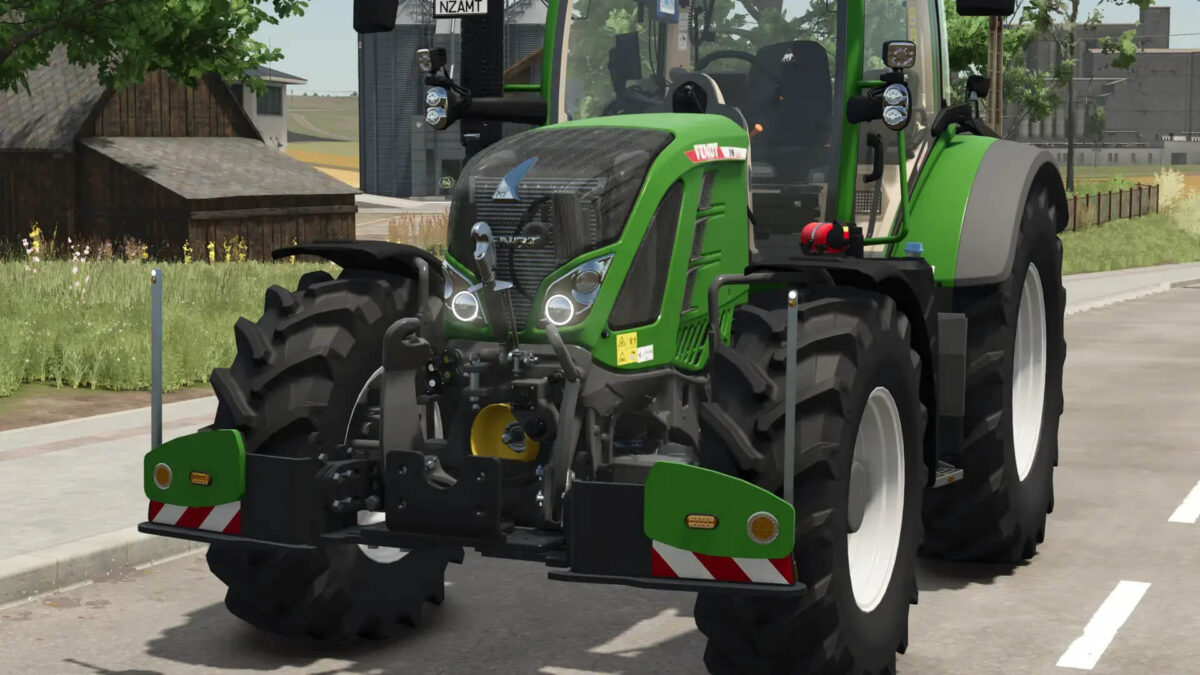
Fendt 500 with Agribumper v 1.0.1.1


– 500 sound with turbo
– Rotating beacon can be configured between rotating light and speed camera
– Agribumper weight can be configured 400 – 1800 kg
– Main color can be configured Fendt + Agribumper
– Rim color can be configured
– Agribumper: speed camera can be configured
– Agribumper: driving light can be configured
– Agribumper: side light can be configured
– Agribumper: original prices
– Rotating beacon can be configured between rotating light and speed camera
– Daytime running light color can be configured
– CCI200 terminal: Lemken/Zunhammer/Kuhn/Krone/Amazone/Pöttinger
– Decorative light can be configured
– CB radio can be configured with lighting
– Animated antenna and cable for CB radio
– Fendt sticker on the front and rear windshield can be configured with color selection
– Display start images
– Display dark mode when the light is on
– Cell phone can be configured with start image and dark mode when the light is on
– Mouse Control: Left door, roof hatch and rear window with sound
Credits:
Finanzamt31er