

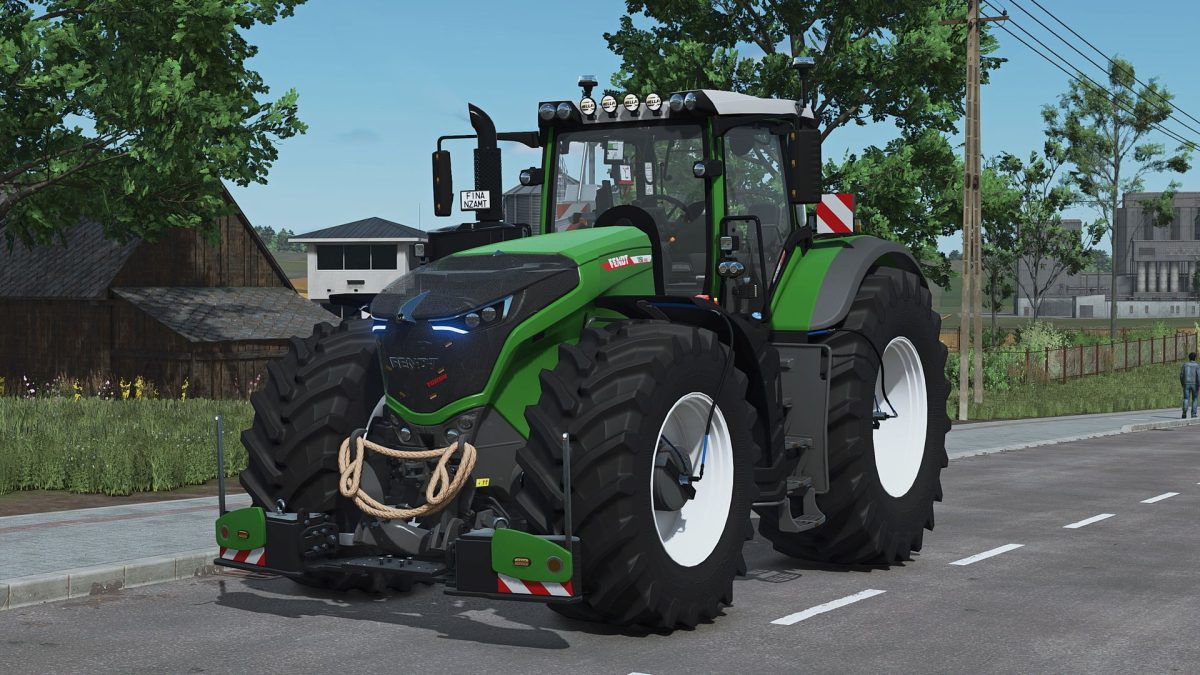
Fendt 1000 Vario with Agribumper Options v 1.0.0.3


– Agribumper weight configurable 400-1800kg
– Adapted Tubing-Slurry hoses for Wienhoff FreeSight front suction arm
– PTG tire pressure control system with display in the interior. LOOKS ONLY/NO FUNCTION
– Main color configurable Fendt+Agribumper
– Rim color configurable
– Passenger script installed
– Front axle lowerable with mouse control and sound
– Rotating beacon configurable between rotating light and flasher
– Daytime running light color configurable
– CCI200 Terminal: Lemken/Zunhammer/Kuhn/Krone/Amazone/Horsch/ Wienhoff
– Decorative light configurable
– CB radio configurable with lighting
– Animated antenna and cable on CB radio
– Display Start Images
– Display Dark Mode when the light is switched on
– Interior trim (Beige) Freely customizable in color
-Decorative rope at the front
– Front flasher in the grill in 4 variants
– Turbo sign in the grill
– K80-K50 ball cover (hides when something is attached)
– Rear fender configurable (narrow/wide)
– Rear fender color configurable
– Wheel hub color configurable
Version 1.0.0.3:
* 2 Version added with adapted lacquer only high gloss possible (golden diamond)
* Lacquer at the standard version now dull again selectable
* Interior and seat material now remains in original fabric when changing the color
Credits:
Finanzamt31er


