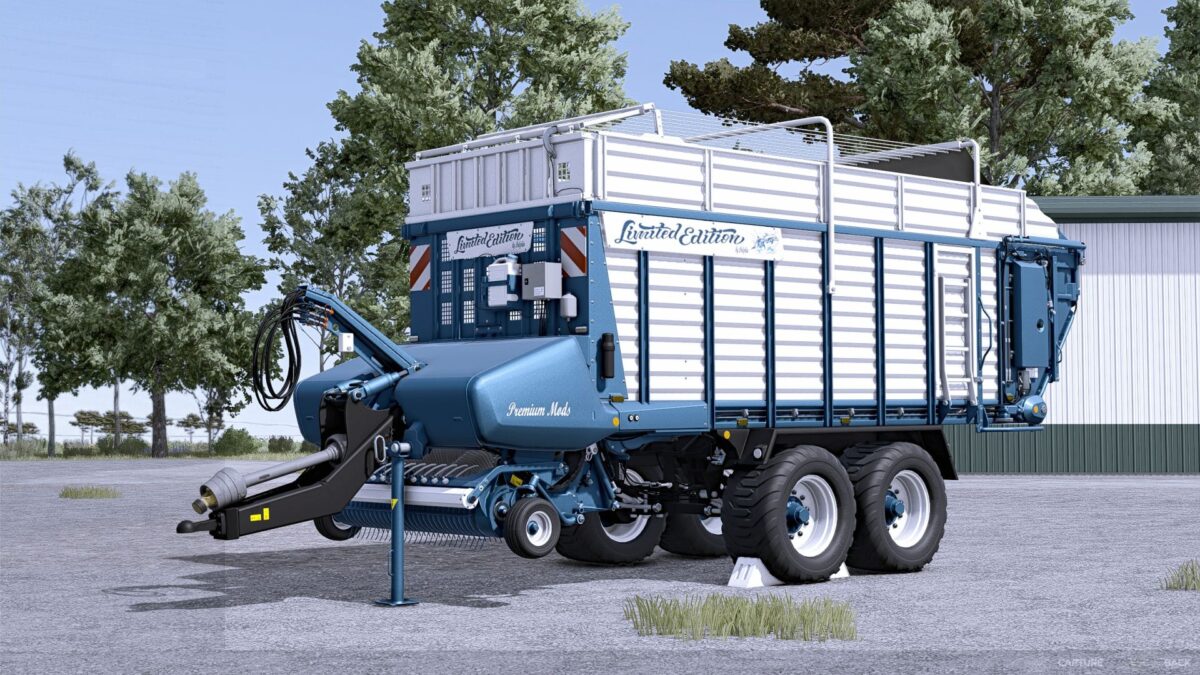
Faro 4010 Limited Edition v 1.0.0.1


Price: €69,500
Working width: 4m
Working speed: 20 km/h
Loading capacity selectable with or without silage: Standard 26,000 liters / 10 liters, Limited 37,000 liters / 30 liters, or Ultimate 48,000 liters / 60 liters
Decals available: Standard, Limited Edition, or FBM
Rear logo available: None, Limited Edition, Dolphins, or FBM
Rear lettering available: None, Limited Edition, Ultimate Farming, or FBM
Side logo available: None, Limited Edition, Dolphins, or FBM
Side lettering available: None, Limited Edition, Ultimate Farming, or FBM
Front lettering available: None, Limited Edition, Ultimate Farming, or FBM
Color selection for main color, design color, frame, cover, drawbar, scratching floor, silage canister, tarpaulin, lettering, and rim color
Increased repair interval
Version 1.0.0.1:
* TestRunner public 0.9.19 checked
* Lighting updated
* Configurations edited
* Logos/Decals updated
* Color for PTO shaft and wheel chocks adjusted
* Loading speed increased
Credits:
Dolphin