

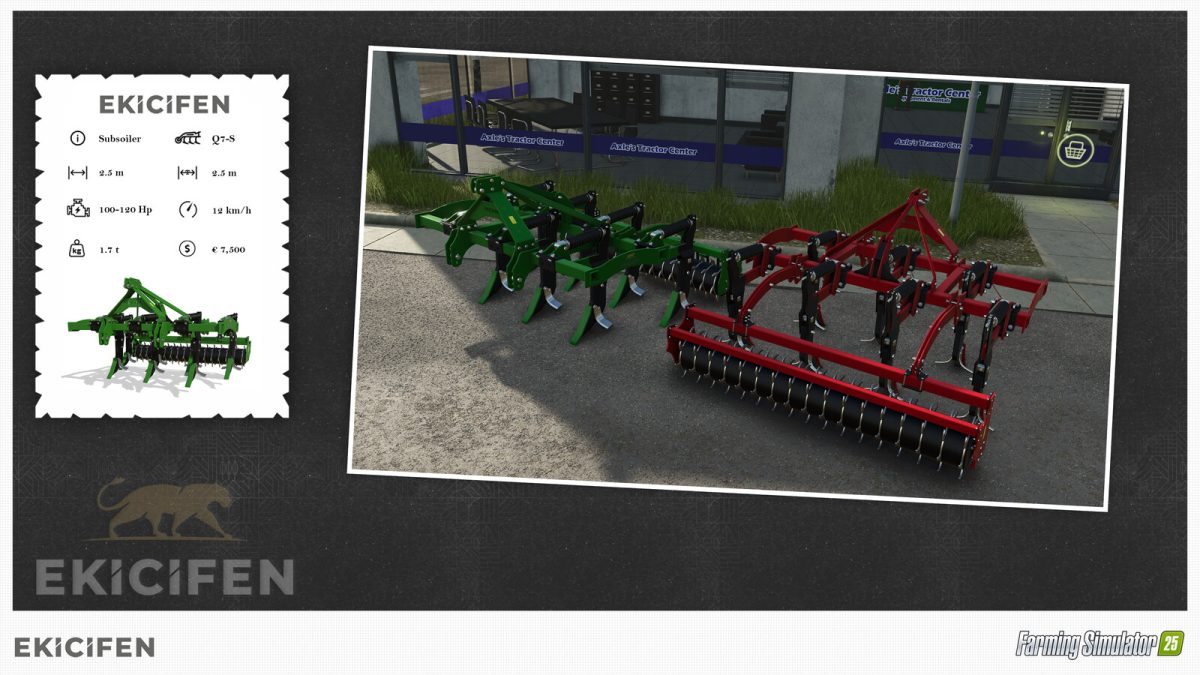
Ekicifen Q7S v 1.0


The Ekicifen Q7S Subsoiler is a piece of farming equipment designed to enhance soil cultivation and preparation for planting.
Manufactured by EKICIFEN LTD. STI., this subsoiler features a working width of 2.5 meters, making it a suitable choice for smaller fields while still providing efficient soil management.
With a maximum working speed of 12 kph, it balances effectiveness and productivity.
This machine requires a minimum power of 110 horsepower, ensuring it can connect to a range of tractors.
The Ekicifen Q7S incorporates spring animations that provide a realistic touch to its operation.
Additionally, users can customize the roller design, offering versatility to adapt to different farming needs.
A color option is also available, allowing users to select a finish that suits their personal preferences or farm aesthetic.
– Manufacturer: EKICIFEN LTD. STI.
– Base Price: $7,500
– Working Width: 2.5 m
– Working Speed: 12 kph
– Required Power: 110 HP
– Spring Animations
– Roller Design Option
– Color Option
Credits:
KRKZ-modding, Ekicifen LTD. STİ.


