Dynamic Lowering v 1.0.3.0


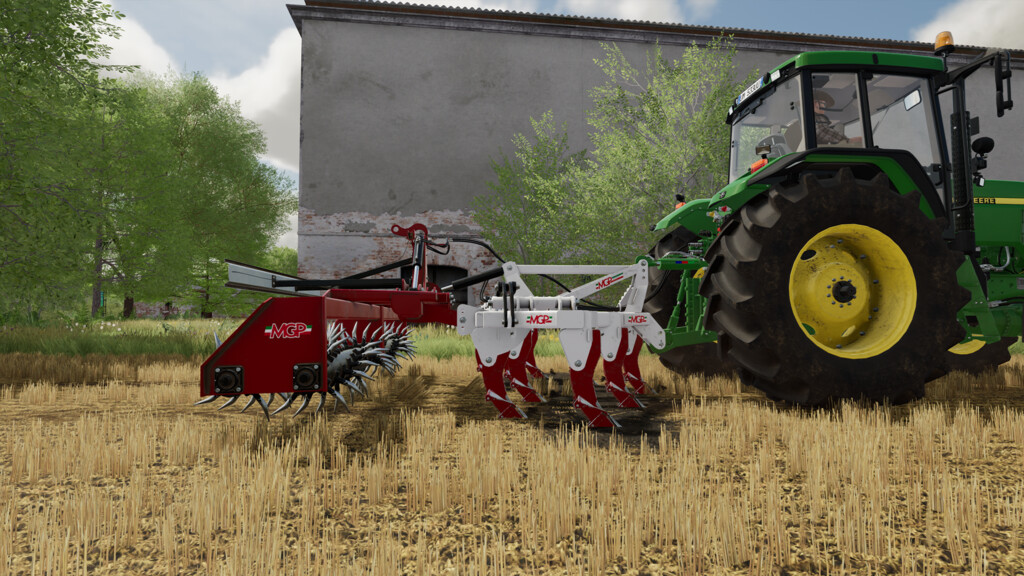
This mod allows the implements with which it is associated a dynamic lowering into the soil once lowered in the work phase.
LIST OF COMPATIBLE MODS:
Version 1.0.0.0 or newer
– Ermo Pack (by SMI Modding Team)
– MGP P Series (by SMI Modding Team)
Version 1.0.1.0 or newer
– Ocrama Kane 300 (by SMI Modding Team)
– Valentini Ripper 5500 (by SMI Modding Team)
– Pastò Thor 300 (by A-ndrea)
– Ermo Ripper 300 (by A-ndrea)
– Horsch Terrano 3FX (by Jonas)
Version 1.0.2.0 or newer
– Namyslo Marracell 300 (by JMZ)
– Rolmako U436 (by JMZ)
– Rolmako U436 HP (by JMZ)
– Rolmako U436 H HP Pack (by JMZ)
– Rolmako U436 4 SH (by JMZ)
– Unia Cross Drive (by JMZ)
– Landstal Pack (by JMZ)
Version 1.0.3.0 or newer
– Volmer Short Disc Harrow Series 101 (by BlackTigerModding)
– ATMP GB300 (by JMZ)
– Namyslo Cobra 300 (by JMZ)
For any integration requests on other equipment, please feel free to contact us via social or e-mail.
Version 1.0.3.0:
* Added tools on the list of compatible mods
Credits:
SMI Modding Team