

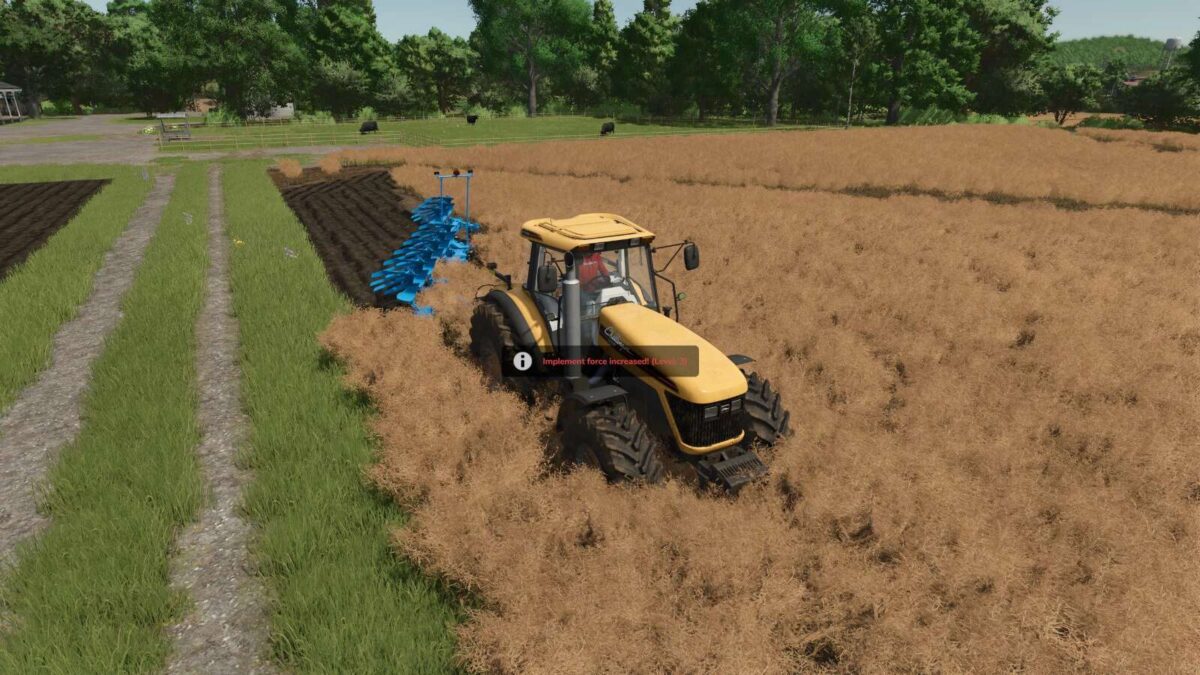
Dynamic Implement Force v 1.0


This PC only mod adds an immersive layer of realism by allowing you to dynamically adjust the pulling resistance of any attached implement in real time while you are playing.
You can simulate realistic challenges or just test your tractor’s limits without needing to edit any XML files.
A dynamic counter in your F1 Help Menu and blinking on screen warnings provide immediate visual feedback.
The script injects logic into all implements that require engine power.
It directly modifies their performance parameters in the game’s active memory.
When you execute a keybind, the script adds or subtracts .15 resistance to the implement’s force requirements.
For ground engaging tools like plows and rippers, it modifies the ground friction coefficient.
For powered tools like combine headers or mowers, it increases the required pto engine horsepower.
Settings return to default values when reloading your save game.
Controls:
– Increase Force: Alt + 9
– Decrease Force: Alt + 8
Keys can be customized in the game’s keybindings menu.
Custom controller mapping is supported via the settings menu.
Credits:
Paceline


