

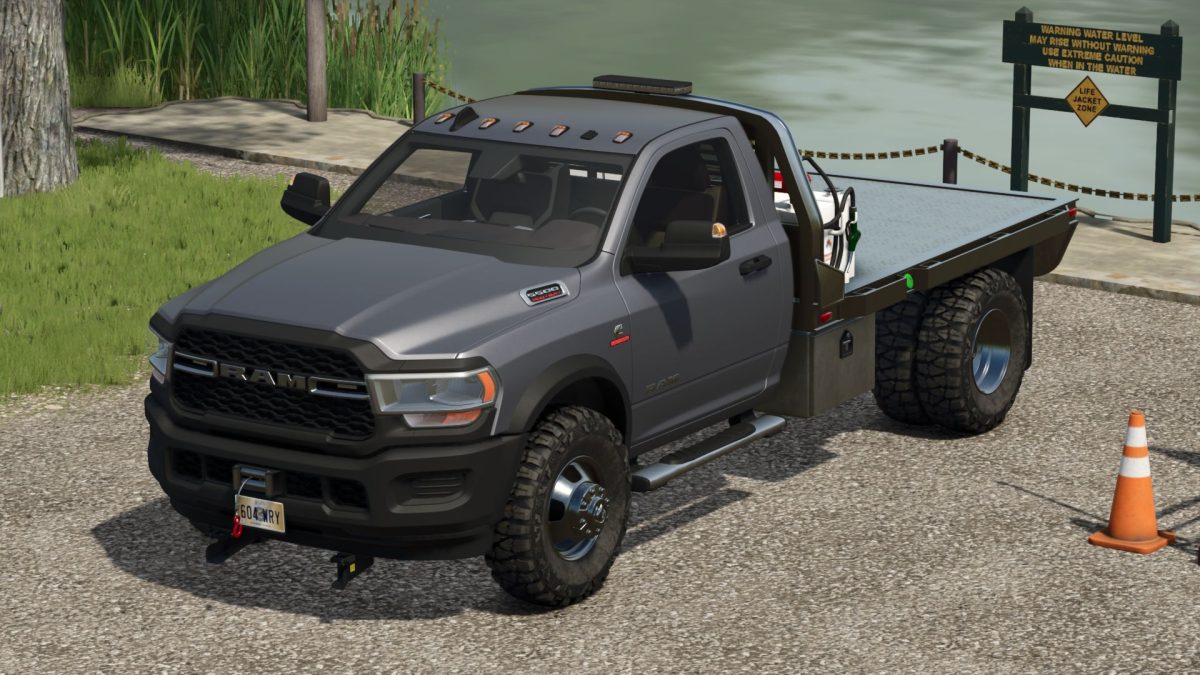
Dodge Ram 5500 v 1.8


– Price: 45000$
– Power: 410 hp
– Speed 140 km/h
– Color selection
– Selectable license plates
– Selectable steps
– Selectable transfer tank
– Selectable plow attacher
– Selectable winch
– Selectable strobe/flasher
– Passenger support
– The side boxes can be used to store and transport paint cans and a horse brush.
– The truck can transport fuel and refuel equipment.
– Fuel tank capacity – 750 l.
– Animated turn signal switch, pedals, gear shifter, dashboard
Version 1.8:
* Improved side boxes. Now you can open them (with IC) and store a horse brush and paint cans in them.
(You can only pick up items from storage with empty hands. For example, if you have a chainsaw in your hands, you won’t be able to pick up a brush)
* Improved rear hitch
* Added the ability to adjust the height
Credits:
Canada FS, Buckeye State Farms


