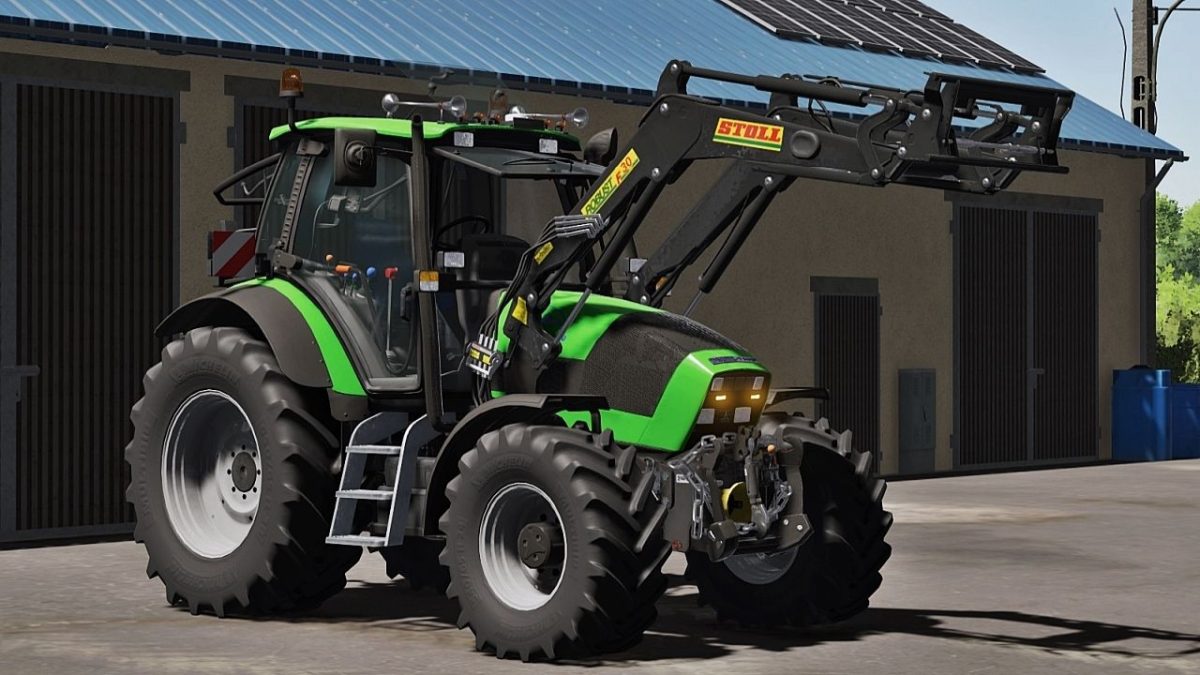
Deutz Fahr Agrotron Series v 1.0


Basic Price: 77.000 €
Power: 128 – 150 hp
Max Speed: 50 km/h
– RealGPS mod support
– Engine power config (Agrotron 128, Agrotron 150.6)
– Opened left door, roof, front and rear window with mouse control
– Extra lights config (Strobes lights or top lights)
– Frontloader consoles config (Quicke, Hauer and Stoll)
– Wheels and tires config
– Rims color config
– Front hydraulic or weights config
– Warning sings config
– Air Trumpets config + new horn sound
– Beacon lights config
– Chain config (Only on front hydraulic)
– Rear fenders config
– GPS config
– Number plates config
– Compatible with AI Worker
– Compatible with Ground Deformation System
– Animated indoor huds
– Animated parts in cabin
– Lights, work lights, turn signals and beacon lights
– New windows textures
– New darker dynamic smoke
– New details in model
IMPORTANT:
– This mod was tested and no warning and errors in LOG
Credits:
Truffi, RedCat3D